
Each month, the Live forecast should be submitted to the Forecast. This ensure that the Forecast is up to date with the latest changes and expectations.
Step 1: Review the Live forecast
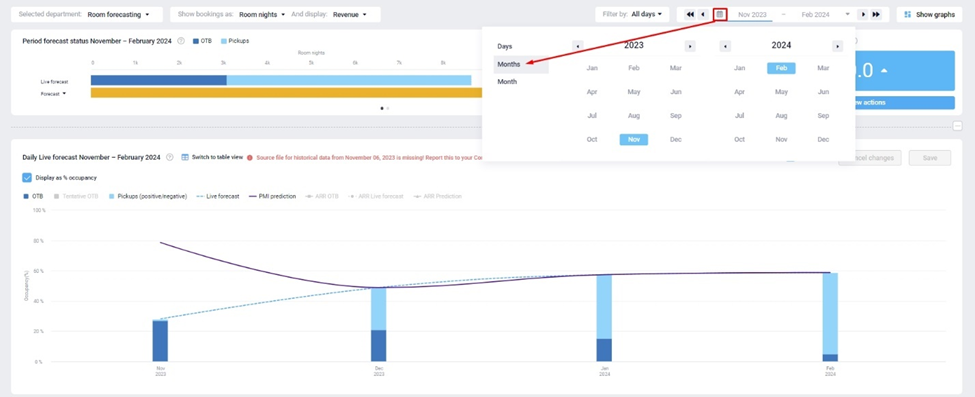
Review the next 3 months on the total level. See if things look as you expect them to, and compare them to the Forecast, Budget, PMI prediction and Prior year.
Step 2: Make adjustments
See if any changes need to be made and adjust as needed.
Step 3: Save and submit
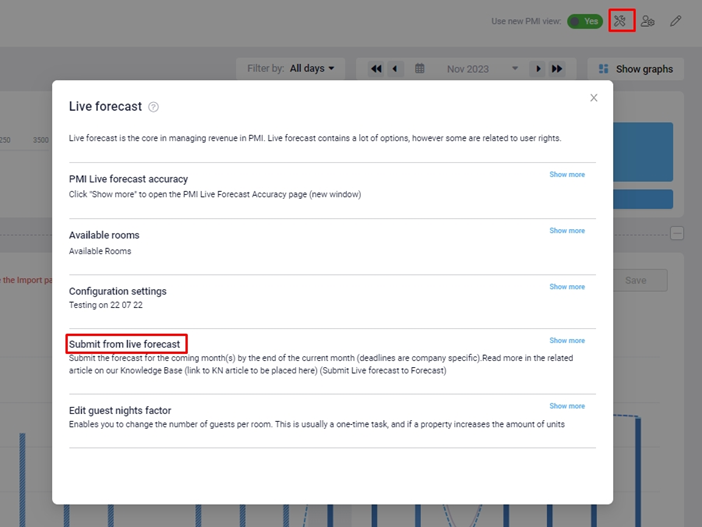
To copy from Live forecast to Forecast, go to the Tools icon, then click Submit from Live forecast. Select Submit to Forecast for the next 3 months, then click Submit.
Remember to press Save when you have finished.
- The Rooms live forecast should always be updated first, as most departments base their driver-based forecasts on the Rooms department forecast. Once this forecast is updated, then the other departments, for example, Breakfast, can begin to update their forecasts.