What is its purpose?
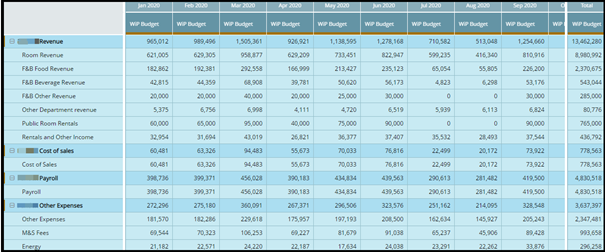
Accounts overview is a quick way to show categories as totals and you can see divisions, departments and account levels. This is view only, so you cannot change anything or look at calculations. It’s geared toward GMs, controllers and heads of departments.
Getting started
Tools
You can print and view Status.
Print to file will ONLY print the working column. The data selected as reference will NOT be included in the ‘Print to file’ data. Meaning it will only print data from the first column.
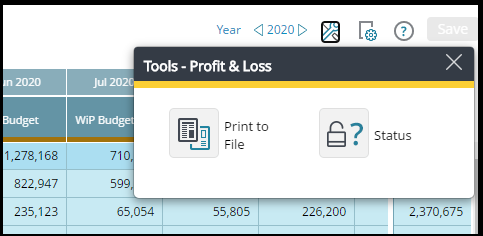
Even if the Status tool is available in the Report module and Account Summary module, the Submit option will only be available from the Accounts module.
View Options
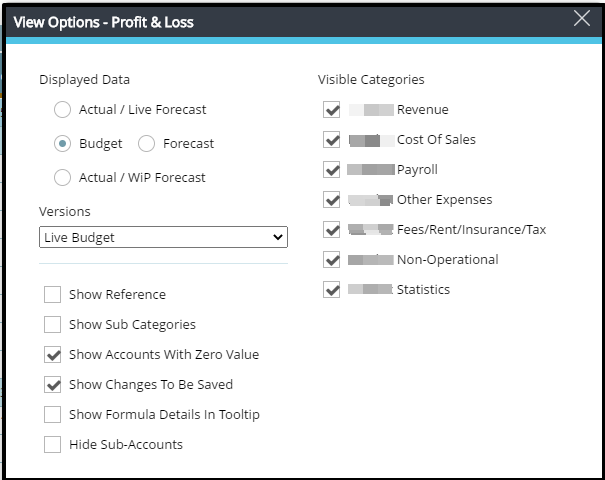
In View Options, you can choose what you want to see:
- Displayed Data − choose between Actual, Budget and Forecast. WIP stands for Work in Progress, former named only Forecast/Budget/Target or Live infront.
- Versions − choose which version you want to display under Budget and Forecast − current, approved, last submitted, previously submitted.
- Currency − if part of a hotel chain, you may choose which currency to look at.
- Show Reference − choose the reference you want to compare to (multiple choices).
- Show Accounts − then you will not only see totals but all accounts.
- Show Accounts with Zero Value − click the box if you want to see accounts without any value.
- Visible Categories − you have a choice to select what you want to see, good to use if you want to print the report.