
Overview
This update enhances the non-room Live forecast by allowing you to view key rooms data—room nights, guest nights, and occupancy—directly within non-room departments. This provides better context for comparison and decision-making.
Improvements
Live forecast (non-room departments):
- A new section has been added to View settings labeled Rooms live forecast with options to display:
- Room nights (RN)
- Guest nights (GN)
- Occupancy (Occ.)
Getting started
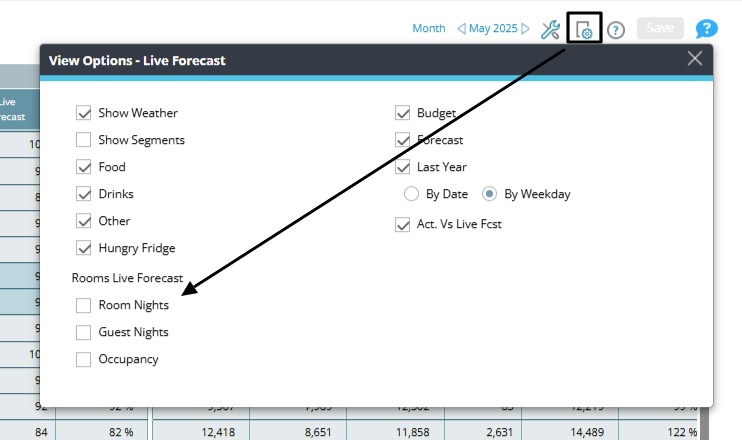
To enable these new columns:
- Go to Live forecast in a non-room department.
- Click View settings.
- Under Rooms live forecast, check the data points you want to see.