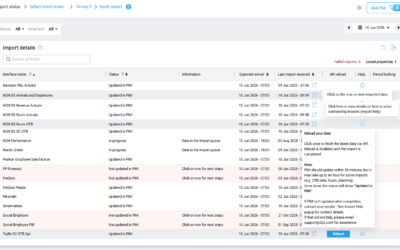
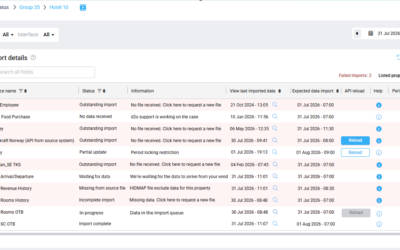
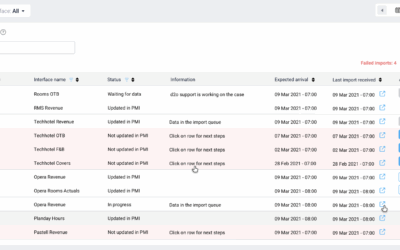
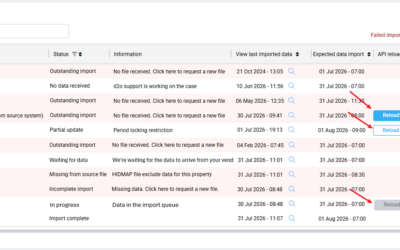
Purpose This article explains how to manually reload an API-based data import in the Import status page. This allows users to request updated data when the latest import has failed or is outdated. When to reload an import Reload is available when: The interface...
Import status
Import status – Understanding statuses
Introduction Import statuses help users understand whether expected interface data has been received and processed successfully in PMI. PMI monitors active interfaces and evaluates: whether a file arrived whether the expected operational dates or months exist in the...
Import status – Understanding advanced Data offset validation for GoGreen and Food Purchase interfaces
Introduction Some GoGreen and Food Purchase interfaces support advanced Data offset validation logic for Hourly and Daily imports. Unlike standard Data offset validation, where PMI checks for data on a single expected day, these interfaces validate data across a...
Understanding the Import status settings
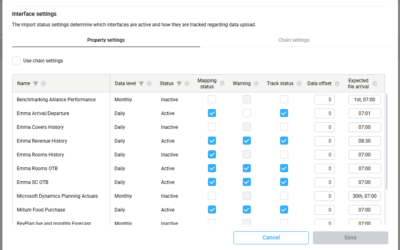
Introduction Import status settings define how PMI monitors incoming interface data and determines when warnings should appear for delayed, missing, or unsuccessful imports. These settings help users understand when expected interface data has not arrived, could not...
Import status overview
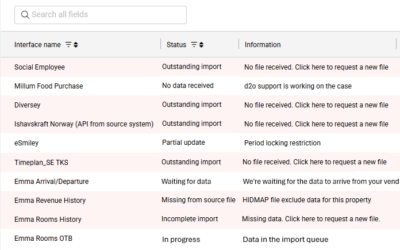
Purpose The Import status page in PMI provides an overview of data imports across properties and interfaces. It helps users monitor whether data has been successfully imported into PMI and identify imports that may require attention. The feature improves visibility...
Handling Outstanding Imports (Missing Data) in PMI
Info This guide walks you through how to troubleshoot and resolve outstanding imports (missing data) in PMI. General NoteThe data displayed in PMI is based on the data we received and imported from your supplier. If an export file has not been shared with PMI, the...