api

Import status – Understanding statuses

Import status – Understanding statuses

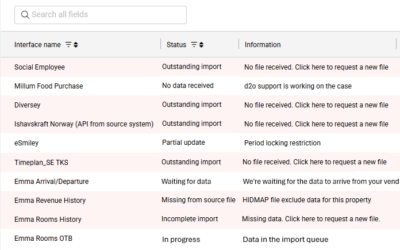
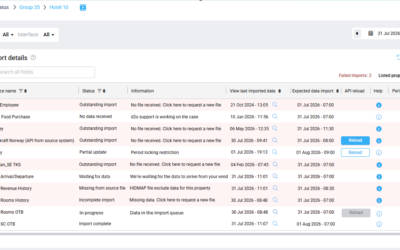
Introduction Import statuses help users understand whether expected interface data has been received and processed successfully in PMI. PMI monitors active interfaces and evaluates: whether a file arrived whether the expected operational dates or months exist in the...

read more
Import status overview

Import status overview

Purpose The Import status page in PMI provides an overview of data imports across properties and interfaces. It helps users monitor whether data has been successfully imported into PMI and identify imports that may require attention. The feature improves visibility...

read more
How to transfer data to PMI

How to transfer data to PMI

There are 5 main options to transfer files/data to PMI. They are listed below in the preferred order: Webservices/API – If your system offers such service, please provide access information/credentials. SFTP Client – you upload the daily extract to d2o server,...

read more
PMI API

PMI API

For complete documentation and a list of all methods in the PMI API see: External site: Integration API page Best practice documents: API best practice - get forecasted hours

read more

PMI API Best Practice Get Forecasted hours

Property Management Integration Guide Most requests to the PMI API require a property ID (guid) or a chain ID, which will be part of the URL. These IDs will be provided by d2o. In the following examples, we will use the chain ID 4f725e8a-d8e0-48bb-bb6e-84183edb581d...

read more