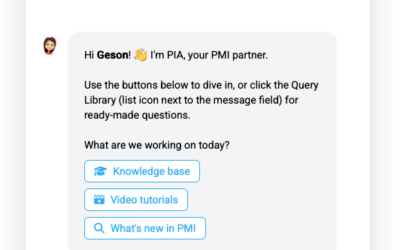
We’ve improved the PIA chat window with a new resize handle, giving you more control over how much space the chat uses on your screen. A visible resize handle is now always available on the edge of the chat window. You can now: Drag the handle to make the chat window...
Geson Perry
Contact Support from Chat
We’ve added a new Contact Support feature to make it easier to get help when you need it. How it works You can now start the support process in two ways: Type “contact support” in chat to automatically trigger the support flow. Click the “Contact support” link located...
How to change available rooms in PMI
If you need to change the number of available rooms in PMI, do it in Live Forecast. How to do it Open Live Forecast Go to Tools Select Available Rooms Enter the updated number of rooms for the relevant dates Save Use this when rooms are temporarily unavailable, for...
Why are some numbers purple, blue, red or orange (amber) in the Live Forecast?
Live Forecast Color Legend (forecast table) Note: This color legend applies only to the values shown in the Live Forecast table. Other views in PMI, such as Sense Check or alert panels, may use similar colors with different meanings. Colors in the Live Forecast table...
Live Forecast does not match OTB
If Live forecast shows a large gap versus OTB (e.g. OTB = 97 RN and Live = 37 RN), first check the update method. Go to: Live forecast → Tools → Configuration settings Under Live forecast update method, verify: Auto: Updates when new external file is imported Auto:...
Why does TKS mapping have proportional cost rates, and what do they affect?
Problem You saw an option in the Timekeeping System (TKS) mapping to assign different proportional cost rates and wondered: “If I pay someone at 20% of the normal rate, why can’t I reduce their hours for RevPOLU / PMI?” Explanation In PMI, hours and cost are handled...
Why can’t I edit a calculation in P&L Planning?
If you cannot edit a value or formula in P&L Planning, the reason is usually one of the following: 1. The account has a Source Definition If you see a calculator icon on the account line, the value is controlled by a Source Definition. You cannot type directly in...
PIA chat powered by GPT-5.1 is now available to all users
We’re excited to announce that PIA, your PMI chatbot, is now available to all users! You can access PIA Chat anytime via the “Ask PIA” icon in the top-right corner of your screen. Powered by GPT-5.1, PIA delivers faster, smarter, and more context-aware answers to help...
What’s new in PMI – Release notes
We’ve introduced a new home for PMI release notes. Starting with 2026 releases, all updates are now published in this new, improved format to make it easier for you to stay informed about the latest features, enhancements, and improvements. Release notes from 2025 and...
PMI Views
PMI views are organised by modules, as they appear in the main navigation menu. Some modules are always visible, while others depend on activated features, user roles, or chain configuration. The same view name (for example Cockpit) can exist in different modules and...