Several improvements and new tools were recently added to Live forecast to improve prediction handling and forecast reset functionality. 1. Update prediction when changing from manual to auto This improvement applies to: All Rooms Live Forecast departments Non-Rooms...

what’s new
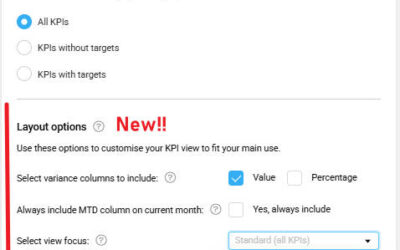
KPI Targets – New layout options in Personal view settings
A new Layout options section has been added to Personal view options, allowing you to customise how KPI data is displayed. Your preferences apply automatically across all properties you can access. Why this matters You can choose how KPI variance is displayed,...
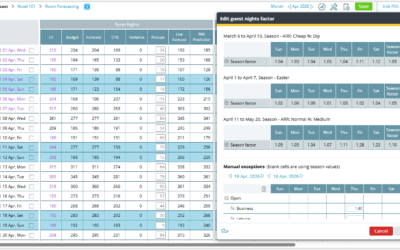
Rooms Live forecast – Guest nights factor improvements
Edit Guest nights factors Improvement Guest nights factors are now managed in a single tool, ensuring consistent guest calculations across Live forecast, Budget & Forecast, and Revise forecast. Introduction The Guest nights factor logic in Live forecast has been...
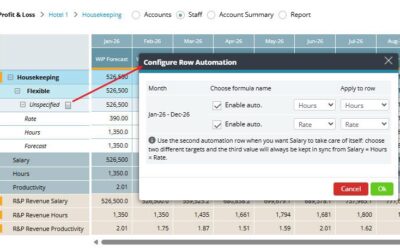
P&L Staff – Automatically populate hours and rates from Budget & forecast
Hours and rates maintained in Budget & Forecast can now automatically populate the Staff view in Profit & Loss. Once configured, the Hours and Rate rows in the Staff module are automatically populated, ensuring staffing data in Profit & Loss reflects the...
KPI Targets – usability and filtering improvements
The KPI Targets page now includes several usability improvements that make it easier to navigate KPI structures and manage filters across properties and departments. Note: As part of this update, the page layout and filtering experience have been improved. Some...
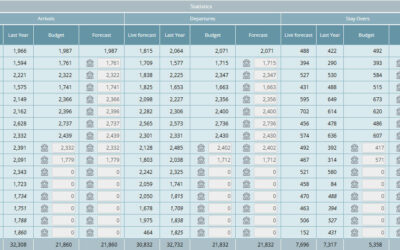
Budget and forecast – Arrivals, departures, and stay over forecasts
View and manage arrivals, departures, and stay-over statistics directly in Budget and forecast. Arrivals, departures, and stay-over statistics are now available in the Budget and forecast module. This allows you to review monthly totals and adjust them when needed,...
What’s new in PMI – Release notes
We’ve introduced a new home for PMI release notes. Starting with 2026 releases, all updates are now published in this new, improved format to make it easier for you to stay informed about the latest features, enhancements, and improvements. Release notes from 2025 and...
Quick access to missing import details via PIA chat
A new link has been added to the Import Status view on the Home screen when data is missing. By selecting “Check status with PIA chat”, PIA will open and automatically display: The missing data files Relevant contact information Guidance on how to resolve the issue...