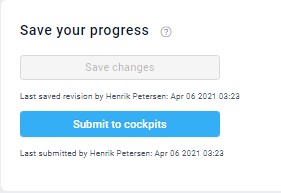
The ‘Save changes’ button ensures the changes made to the plan are saved for furture edits. At this stage, the values only exist in this view. To make the plan values (cost of energy and estimated unit prices) available elsewhere, they need to be submitted by clicking...
planning
Main chart explained
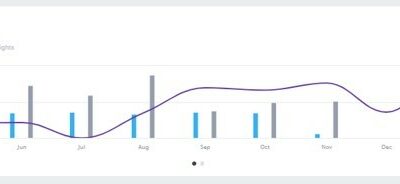
Example used is Towels & linen Use this chart to see at a glance the general shape of your plan (blue bars) against the comparative period (gray) as pre-set and the level of guest nights planned (purple line). This enables you to see if the cost level decreases...
Formula/Calculations explained
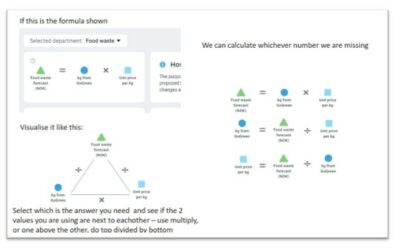
The diagram below shows the correlation between the formula elements which calculates the unit price to get the plan value you expect.In the diagram here below the forecast comes from kg from GoGreen multiplied by price per kg. Always ensure you are in the...
Comparative data explained
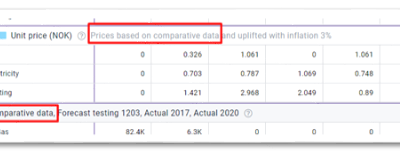
What is comparative data? It is a set of data that you compare your draft plan against.  The dataset shown under comparative data is also used to calculate other elements of your new plan.  Look for … ‘based on comparative data’… in a section header like...
Staffing screen overview
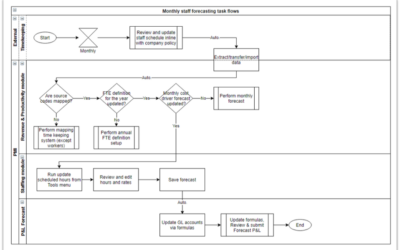
What is its purpose? The planning staff module enables you to review and adjust staffing to meet demand (SMART forecast) all in one screen. The goal is to reduce manual workload and make forecasting less error-prone. You can import scheduled hours and base salaries...
How to edit a plan [3:52]
How to set up a Plan
What is Planning? Planning version setup is where you create draft budgets and forecasts for GoGreen, Room revenue, and Labor costs.  PMI prepopulates this plan using the latest Live forecast and estimates based on historical financial (P&L) data. The forecast...
How to build a P&L planning report
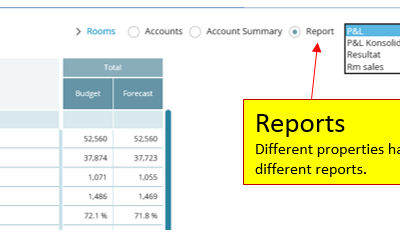
Summary It’s possible to select from various P&L planning reports, depending on how the property is configured in the Planning module. These reports can either be user-created—provided the user has the appropriate permissions—or pre-configured by d2o during the...
How to modify a P&L report
What is its purpose? There are several more choices that increase flexibility in the P&L Report module. It’s easier to focus on what figures you are looking at, and the menus are more informative. What are the actual modifications? 1. Actual: Actual/ Live...
How to set up a weekly Live forecast
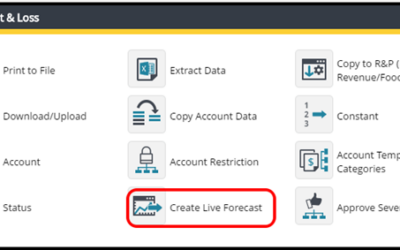
Summary This chapter describes how to make a Live Forecast/Weekly Forecast in Planning at any time. This functionality may be used when requirements exists to produce a weekly P&L forecast in addition to a monthly P&L forecast that is the standard best...


![How to edit a plan [3:52]](https://kb.d2o.com/wp-content/uploads/2023/01/VIDEO01-OVERLAY-400x250.jpg)