
If you have trouble to generate (make or create) a report in the timesheet, one common solution to try is checking your view settings. Specifically, make sure you’ve included all necessary parameters, such as “Include Period-End” in your report criteria. This step is often overlooked but crucial for generating comprehensive reports that match your expectations. If you’re still encountering difficulties, you might need to look into more detailed settings or permissions that could be affecting your ability to generate the report.
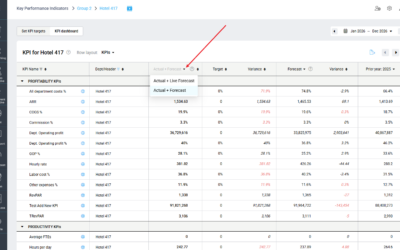
KPI targets enhancement: Live forecast values for current and future months
KPI Targets now gives you more flexibility when reviewing current and future performance. Use the new drop-down in the...