
This is the Opera Scheduler – Reservation History & Forecast (history_forecast) guide.
This article shows you how to export arrivals and departures data (past and upcoming) from Opera PMS, helping you keep PMI updated with detailed guest flow information. Whether you’re setting it up fresh or just need a refresher, this guide has your back.
Step 1
This report can be used to export arrivals and departures.
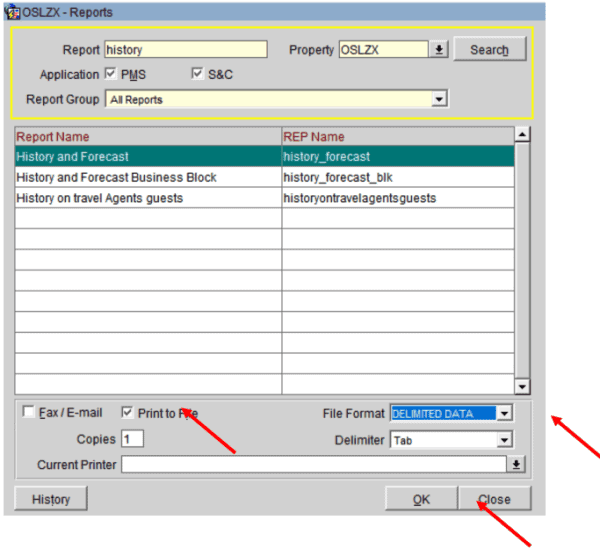
- Click New
- On report overview write trial in the history, click search
- Choose History_forecast
- Click ok
- Print to file
- File format Delimited data
- Ok
Step 2
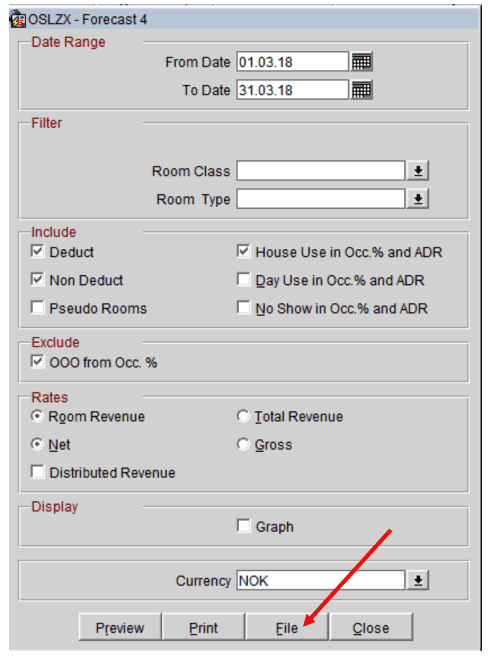
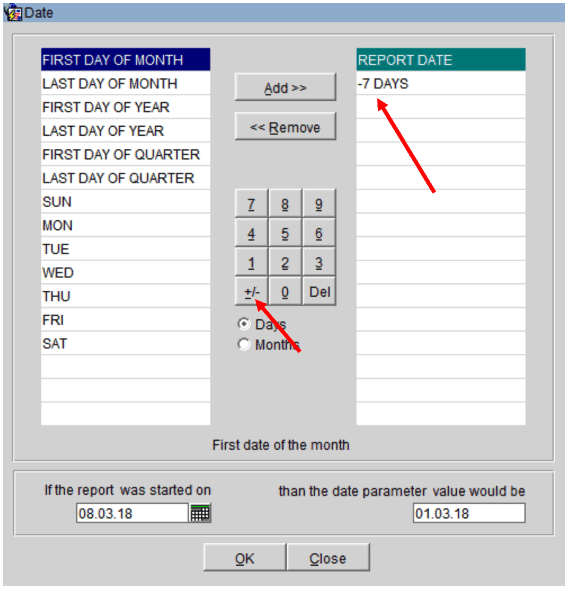
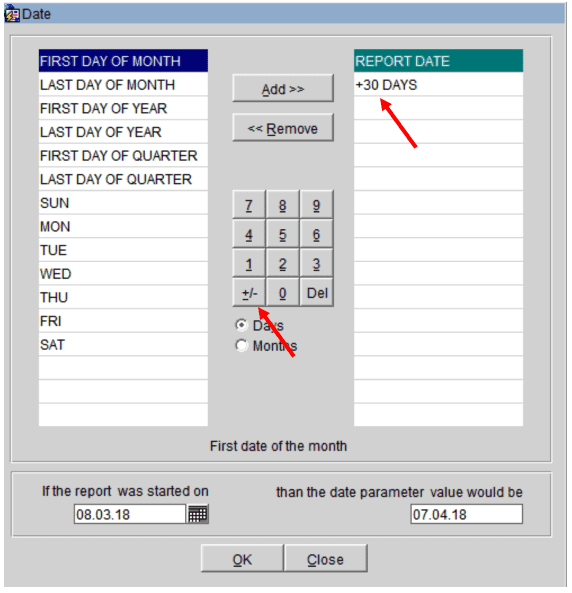
From – to date will be set in parameter, will overwrite settings below
- From date should be two weeks in the past and one month into the future from today’s date (i.e. if today is June 17th 2013,you should choose June 3rd 2013 as From Date and July 17th 2013 as To Date)
- Let all other setting be as they are
- Click on File
Cross-references
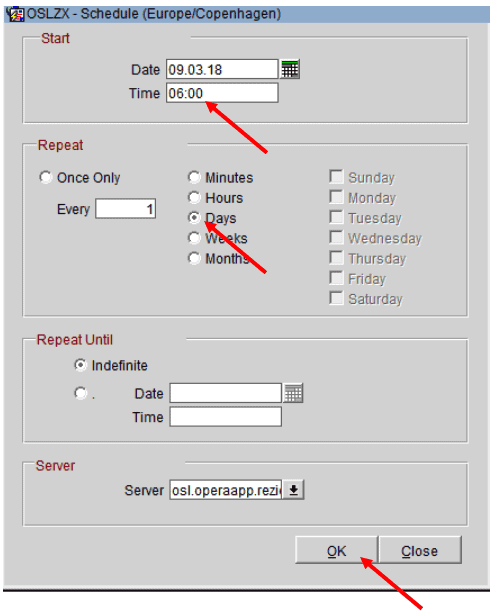
- Opera Scheduler setup
- Reservation Statistics 1 (Historical Room Nights and Guest Nights) Reservation statistics 1 guide
- Trial Balance – (Historical Revenue) Trial balance guide
- Reservation Forecast – (OTB Room revenue, Room Nights and Guest Nights) Reservation forecast guide
- Reservation History and forecast – (Arrival and Departures)Reservation history and forecast guide
- M&E Revenue forecast – (OTB M&E Revenue) M&E revenue forecast guide