
This is the Opera Scheduler – Reservation Forecast (res_forecast) guide.
In this article, you’ll learn how to schedule and export future projections of room revenue, room nights, and guest nights from Opera PMS—providing your PMI system with the on‑the‑books (OTB) forecast data it needs. Whether you’re initiating your forecast setup or refining your process, this guide will steer you through it step by step.
Step 1
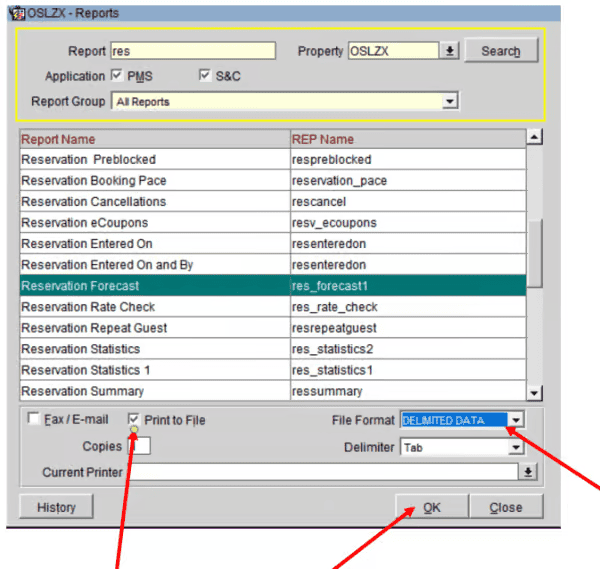
- Back in the report overview
- Click New
- Choose Reservations Forecast (REP name should be res_forecast1)
Step 2
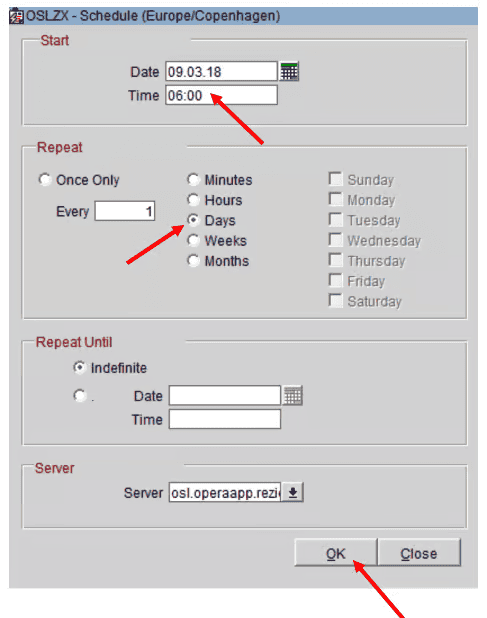
- Time should be a few minutes later than last report
Step 3
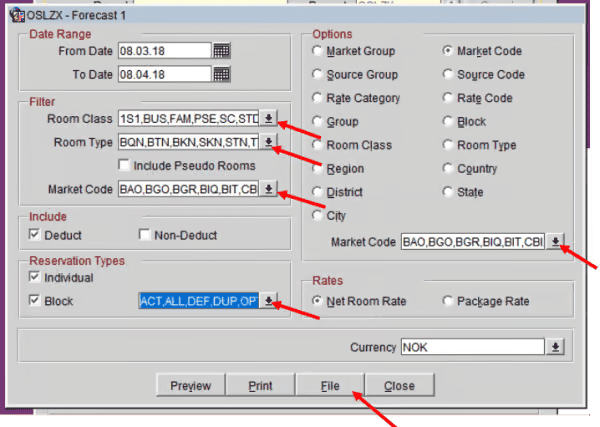
- Select all, room class, Room Type, Market Code, Reservation Type
- Under Reservation types, check Block
- Under Options, check Market Code
- Click on File
Step 4
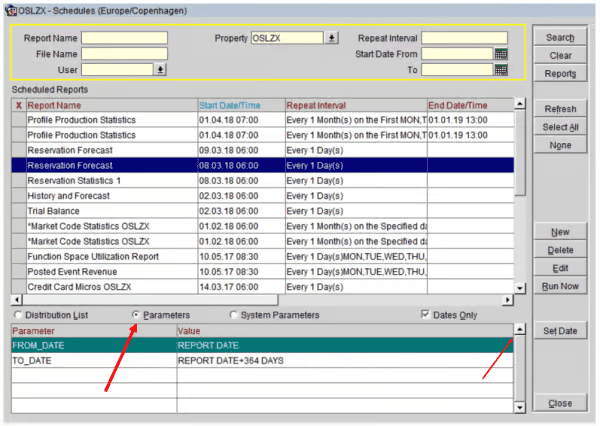
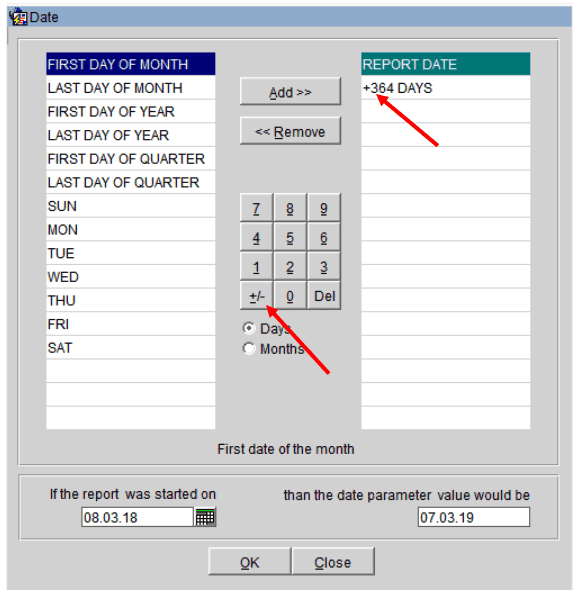
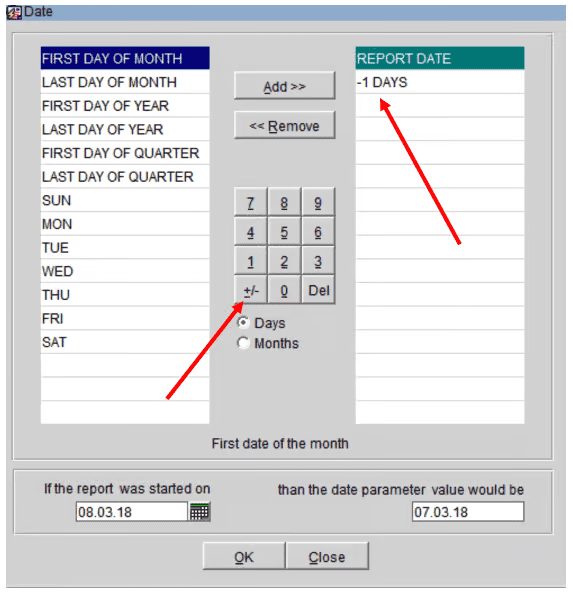
- Today s date + 364 days
Cross-references
- Opera Scheduler setup
- Reservation Statistics 1 (Historical Room Nights and Guest Nights) Reservation statistics 1 guide
- Trial Balance – (Historical Revenue) Trial balance guide
- Reservation Forecast – (OTB Room revenue, Room Nights and Guest Nights) Reservation forecast guide
- Reservation History and forecast – (Arrival and Departures)Reservation history and forecast guide
- M&E Revenue forecast – (OTB M&E Revenue) M&E revenue forecast guide