This is Report 3: Trial Balance (trial_balance).
This guide explains how to export daily revenue and ledger data from Opera PMS — one file per historical date — so your PMI system can accurately ingest your financial history. Use this report to build out day‑by‑day revenue data, ensuring your analytical foundation is complete and precise.
Step 1
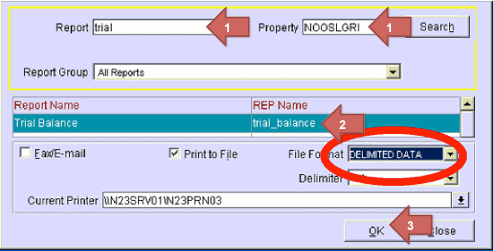
- Back in the report overview, write trial in the Report field and click on Search
- Choose Trial Balance (REP name should be trial_balance)
- Click on OK
Step 2
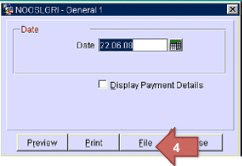
- The date should be yesterdays date, click on File
Step 3
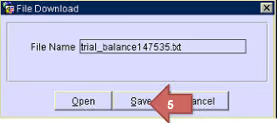
- Click on Save
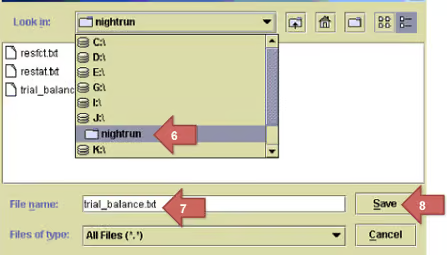
- Choose disc: J:\nightrun (NB: disc and folder may be different – check property specific instructions)
- Enter the filename trial_balance.txt
- Click on Save