
Objective
Ensure that food cost data in PMI is accurate and up to date — capturing purchases, inventory changes, and calculating key metrics to support margin control.
Requirements
- Access to PMI and the Food Cost view in Cockpit.
- Food Cost Budget & Forecast already created for the period.
- Target or strategy for food cost percentage.
Estimated time to complete
10–15 minutes
Steps
1. Log in to PMI
2. Navigate to the Cockpit module.
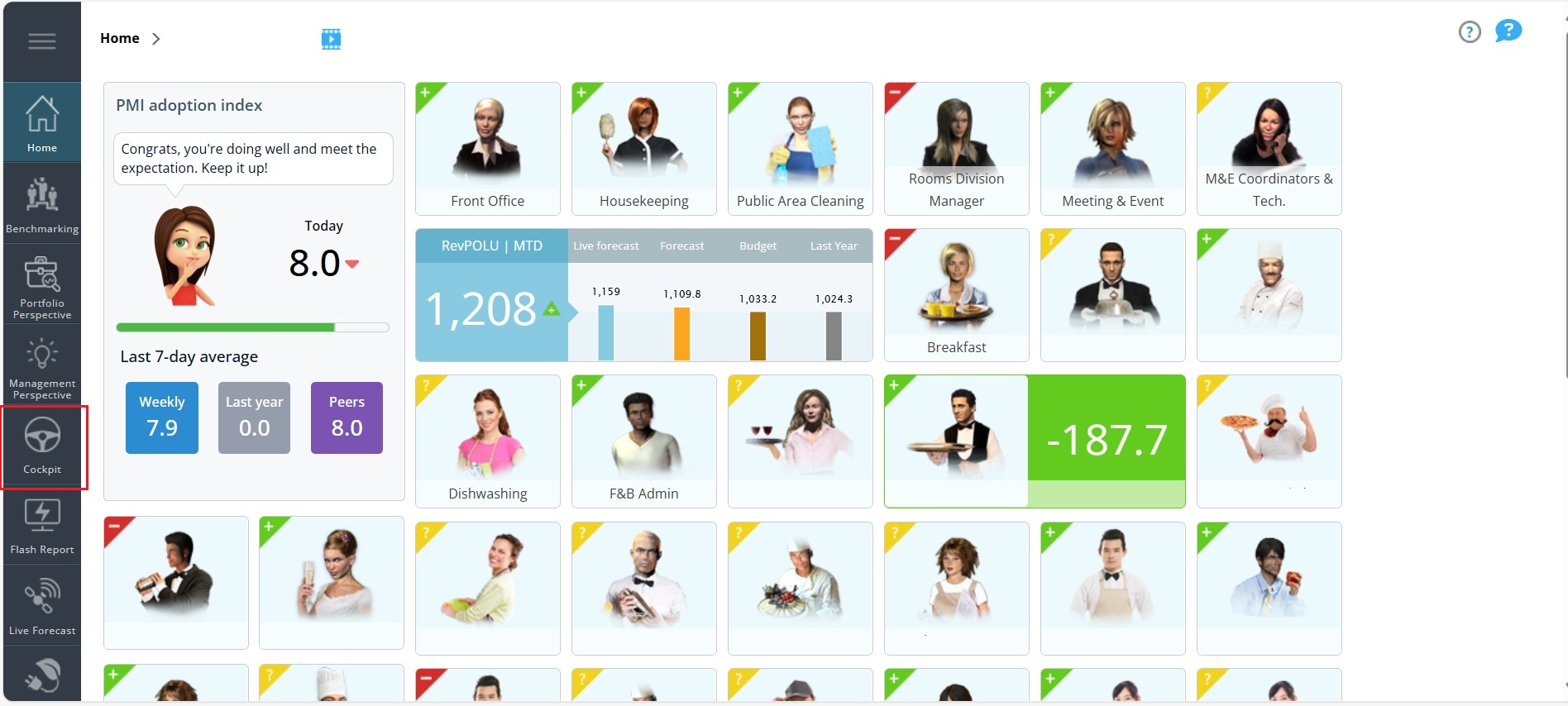
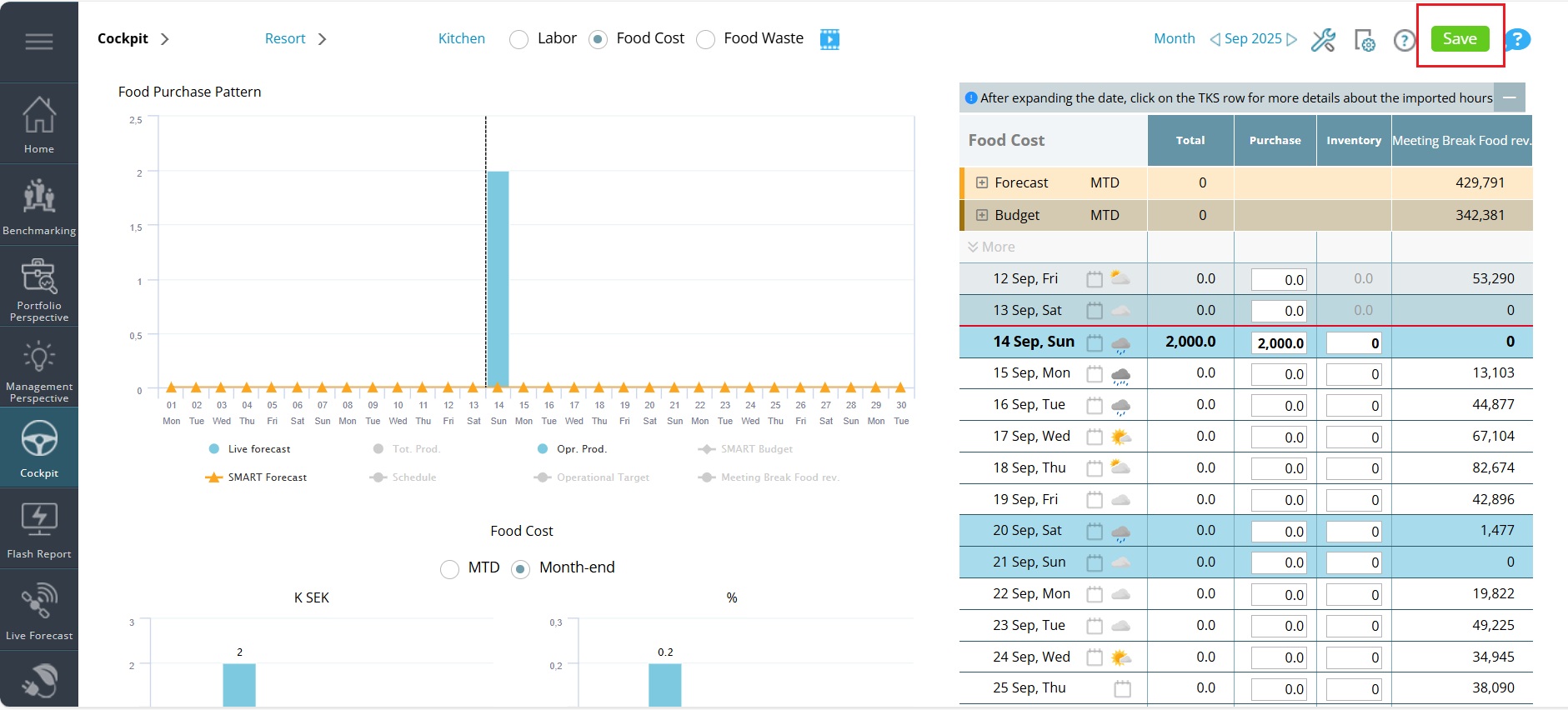
3. Select the Food Cost view.
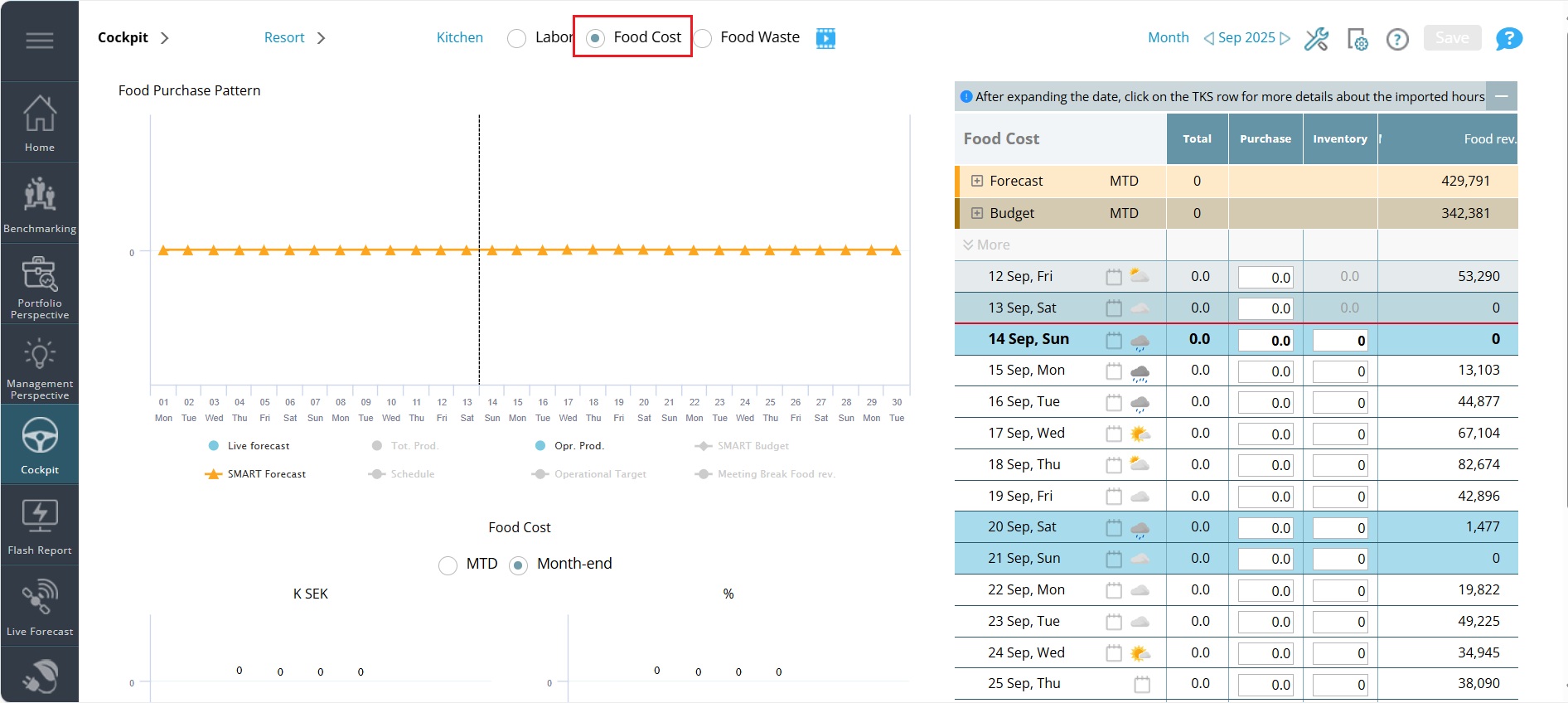
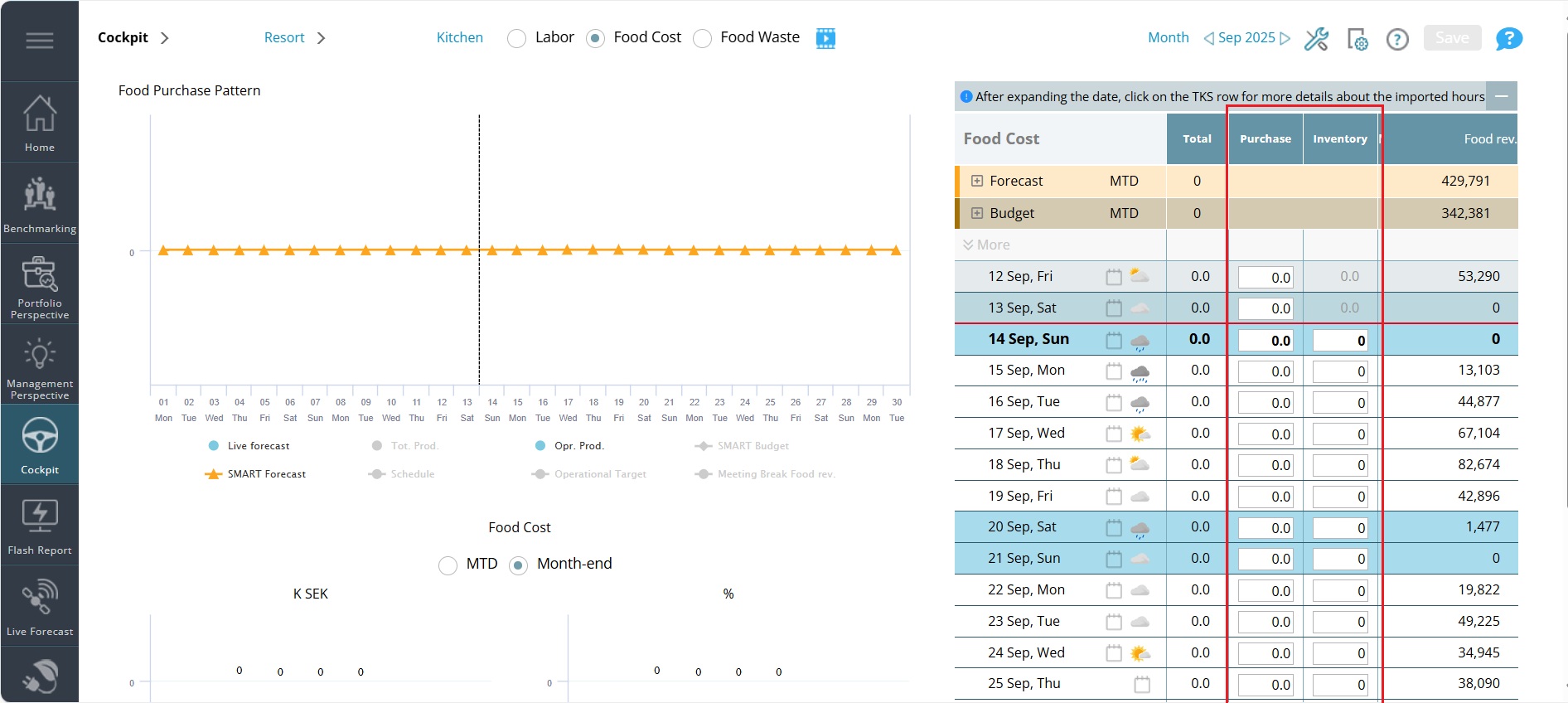
4. Record the total daily purchase value from each delivery invoice in Purchase column.
Note: If purchases are made early for a future event, enter those values as Inventory instead of Purchases.
5. Enter the opening and closing inventory for the period.
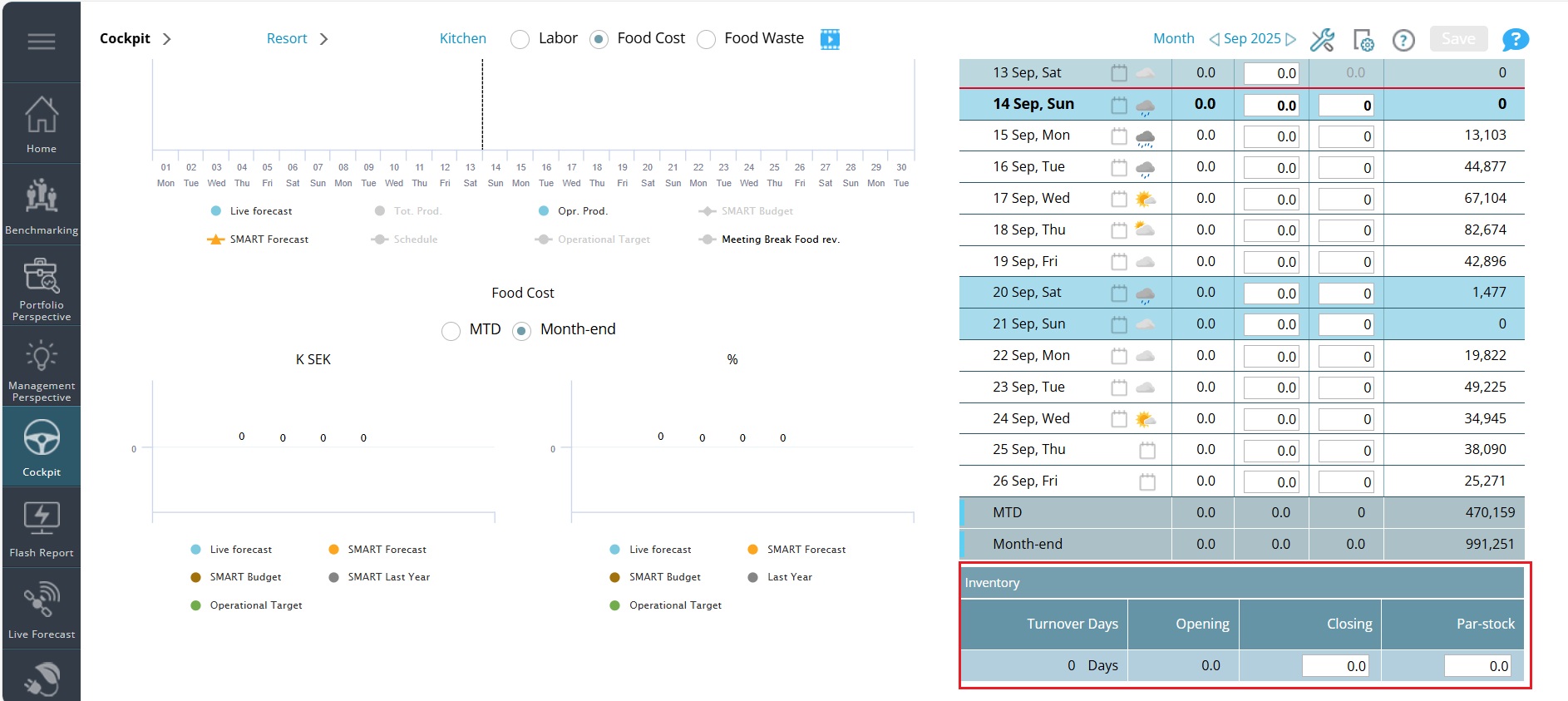
6. Confirm closing values – verify that closing inventory and purchases for the month are finalized.
7. Save your data.
Expected outcome
At the end of this process, you will have accurate purchase and inventory entries in PMI, updated food cost %, and clear insight into inventory efficiency.
Troubleshooting
- Food cost % seems wrong → Check and update opening and closing inventory values.
- Inventory from early purchases missing → Confirm whether values should be entered under Inventory rather than Purchases.
- Save button does not work → Ensure the period is open and that you have the right access permissions.
- Turnover days look unusually high or low → Verify purchase and inventory entries; compare with historical trends; adjust purchasing practices.
Cross-references
Related features and modules
- Cockpit – for KPI and deviation review
- Budget & Forecast – for planning and comparison
FAQ
Q: Can I upload invoices directly to PMI?
A: No. Food cost entries must be entered manually.
Q: Can I adjust past months?
A: Yes, if the period is still open. Locked periods cannot be edited.
Q: Who usually enters food cost data?
A: Typically, the Kitchen Manager or Financial Controller.
Q: How do I calculate the food cost percentage?
A: Use the formula: Food Cost % = (Opening Inventory − Closing Inventory + Purchases) ÷ Sales. Make sure all values (inventory, purchases, and sales) are correct before calculating.
Q: What are turnover days and how are they calculated?
A: Turnover days show how many days, on average, it takes to sell or use your inventory. This helps you understand efficiency and avoid overstocking. The formula is:
-
- Average Inventory = (Opening Inventory + Closing Inventory) ÷ 2
- Consumption/COGS = Opening Inventory + Purchases − Closing Inventory
- Inventory Turnover = COGS ÷ Average Inventory
- Turnover Days = (Days in period) ÷ Inventory Turnover