
We have released an updated version of PIA Chat designed to make it easier to use alongside your daily work in PMI.
What’s New?
- The Ask PIA button in the top-right corner will be removed. Instead, PIA Chat will be available from the bottom-right corner via the PIA icon.
- The PIA avatar can be freely repositioned, allowing you to place the chat icon wherever it’s most convenient on your screen.
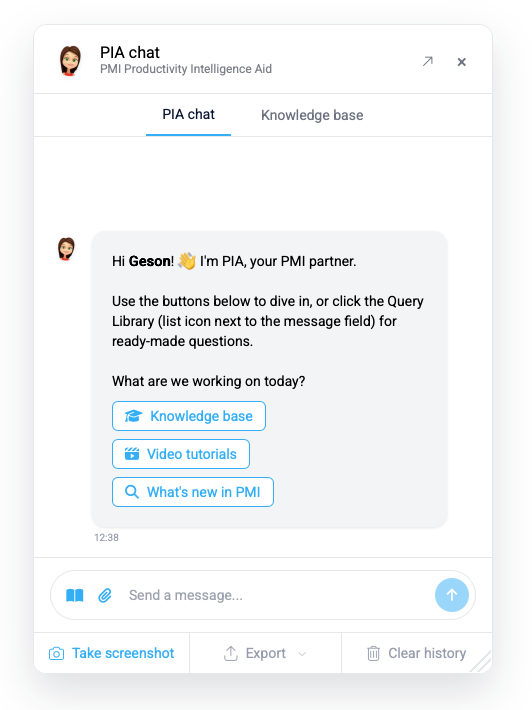
- The PIA Chat window is now detached and can be freely moved around your screen.
- PIA Chat now supports two primary window sizes: Compact (default) and Expanded
- The chat window can also be manually resized to fit your preferred workflow.
- Your chosen window size and position will persist throughout your current session.
- Chat export has been significantly improved, making it easier to save and share conversations.
- The search experience has been updated to provide faster and more responsive results.
What this means for you
This update makes PIA Chat much more practical when following step-by-step guides or working with PMI data. You can now keep the chat window or Knowledge Base content visible while simultaneously interacting with the application, reducing the need to switch back and forth between screens.