
The GoGreen planning module has been updated with both a refresh of the page look and feel, and an update to the monthly routine. Costs are linked to consumption for more accurate calculations. Submitting GoGreen costs monthly is now integrated into the property monthly forecast process, removing the need for additional setup steps.
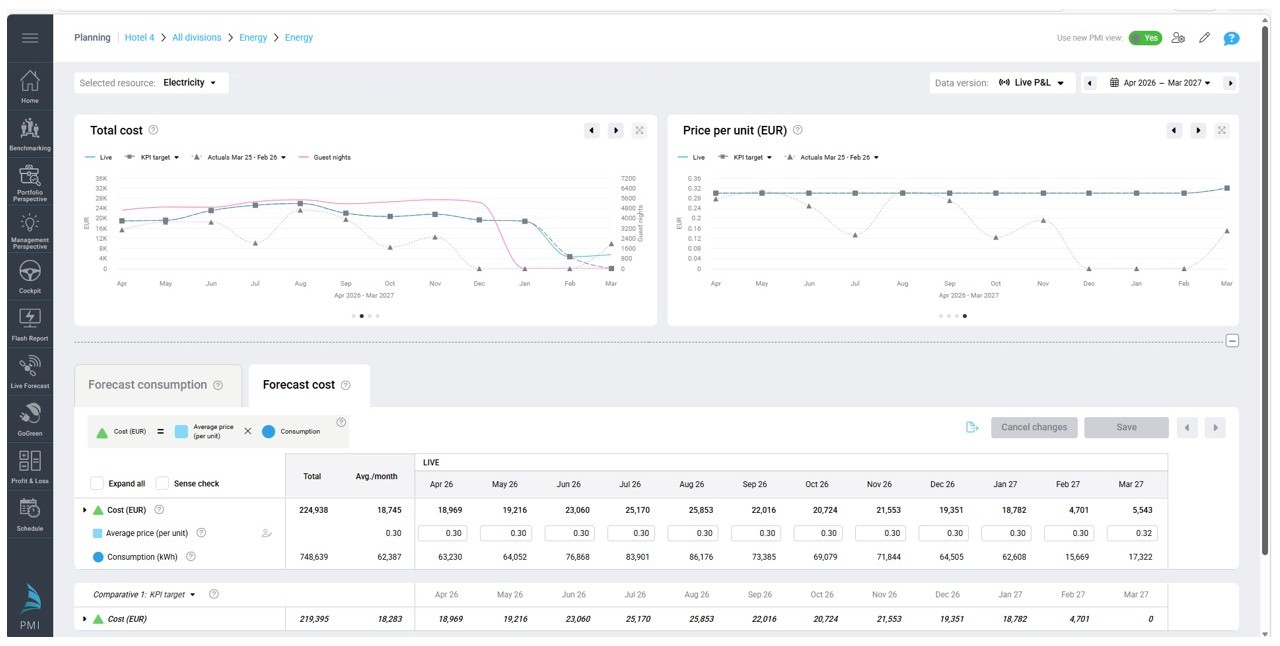
Image: New look and feel for GoGreen planning module
What’s new
- The GoGreen forecast cost is linked to Profit & loss and included automatically as part of the standard monthly forecast submission. Properties without Planning module have a new automated process for GoGreen data.
- Update to the UI of the GoGreen planning page including new charts and more flexiblie edit functionality.
- GoGreen monthly forecast data has a Live forecast version with daily updates of consumption and guest nights.
- Update to the Unit price calculation logic using historical costs as a starting point.
- You can review the forecast at any point before the standard monthly forecast process.
- Chain and property settings and configuration moved to Planning setup page
- Change of access to GoGreen planning page: not through Planning setup but directly from Budget/Target & forecast module or linked from Profit & loss GoGreen accounts
Important note: as part of the release of the new UI, submitted GoGreen forecasts or budgets from 2025 and the start of 2026 will be migrated so that they can be still viewed in the new GoGreen planning page. As a result, they may also appear in the list of versions in the Status tool in Profit & Loss module. These are not financial forecasts and so cannot be rejected or approved; they will not affect other financial forecasts.
Why it’s useful
- No additional steps required for creating and submitting the GoGreen data – they are included automatically when property monthly forecast is submitted.
- Consumption and cost are better connected ensuring more accuracy on the cost forecast.
- Live forecast uses current PMI predictions and past actuals for a more consistent and reliable calculations of costs, but new edit functionality allows flexibility where this is required.
Availability
- Planning setup: Administrator and Controller roles (edit property; HQ to edit chain).
- GoGreen planning edit: Department manager or higher with GoGreen User role; Controller or higher
- GoGreen planning view-only: All other main roles without GoGreen User role
Learn more
To understand how this works and how to use it, see the following articles: