
It is easy to see what data has been imported in the Import status module.
Navigation
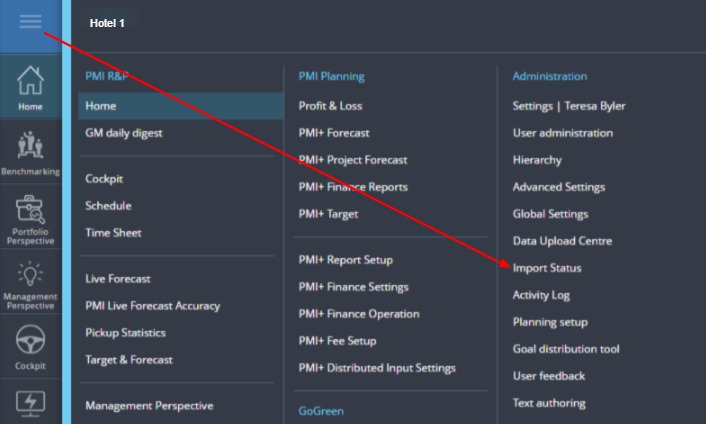
Image: The main menu in PMI showing navigation to the Import status module
From the main menu, click on Import status.
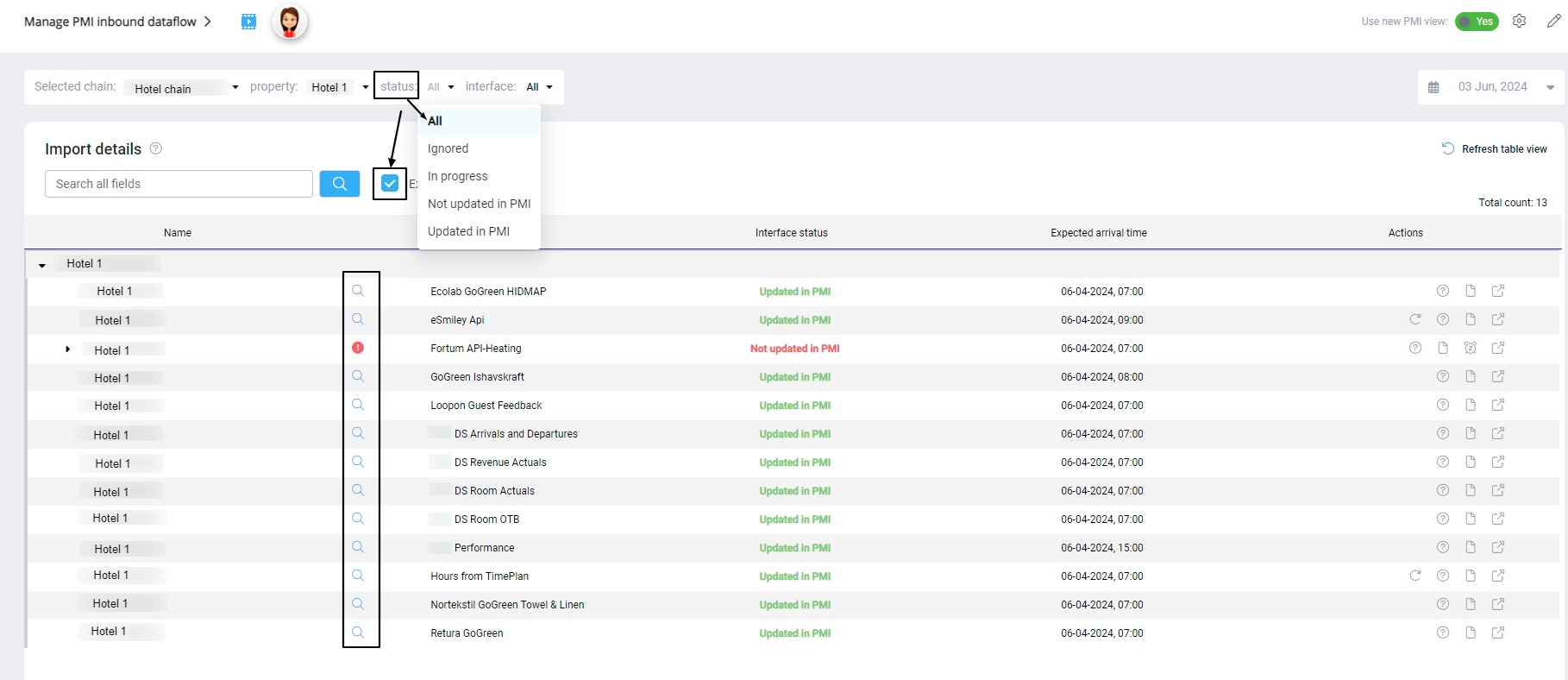
Image: The Import status module in PMI, showing imported data.
Change the status to ‘All’, and select ‘Expand all’.
A list of all the import files received today or from the selected date will be populated. Click on the magnifying glass next to the interface in question to see a popup with more details on the data.
For more detailed information visit this article: Monitoring import data – Import status !