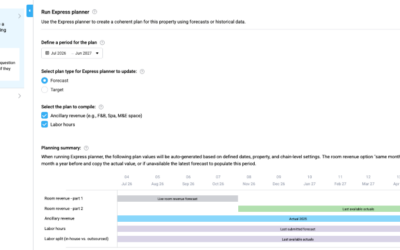

If you want to copy your forecast into your budget in PMI, the correct method depends on where and how your setup is configured.
Which method should I use?
- Planning (P&L): Use Copy From Reference
- Budget & Forecast (simple revenue setup): Use Copy (Submit)
- R&P or template-based setup: Use Upload Centre
Rooms & F&B (simple Budget & Forecast setup)
If you are working with revenue (Rooms, F&B, or other departments) and your setup allows it, you can use:
Copy (Submit) several
- Go to Live Forecast
- Open the Tools menu
- Select Copy (Submit) several
- Choose to copy from Live Forecast → Budget
- Select period and version, then confirm
This copies your operational forecast into the Budget version.
R&P / Upload-based workflow
If you are working in an R&P setup or using upload templates, you cannot copy directly inside PMI.
Instead, you must use the Upload Centre:
- Go to Administration → Data Upload Centre
- Download the Forecast for the desired period
- Download a Budget upload template for the same period
- Copy values (only values) from the Forecast file into the Budget file
- Upload the Budget template back into PMI
Important: The Budget period must be unlocked in Period locking, otherwise the upload will fail.
Profit & Loss (Planning module)
If you are working with the full financial P&L, use:
Copy From Reference
- Go to Planning → Profit & Loss
- Open Tools
- Select Copy From Reference
- Choose source version (e.g. Forecast) and target (e.g. Budget)
Common confusion
These are different workflows depending on your setup:
- Budget & Forecast: Operational revenue (Rooms, F&B)
- R&P: Often requires upload templates instead of direct copy
- Planning: Full financial P&L
If you are unsure which setup you are using, check if you have access to the Upload Centre or contact your administrator.