
We’ve added a new Contact Support feature to make it easier to get help when you need it.
How it works
You can now start the support process in two ways:
- Type “contact support” in chat to automatically trigger the support flow.
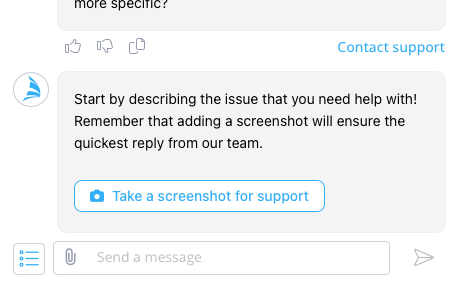
- Click the “Contact support” link located under any response.
Once initiated, the support flow will guide you through a few quick steps:
- Describe your issue so our team understands what’s happening.
- Add a screenshot (recommended) to help us diagnose and resolve the issue faster.
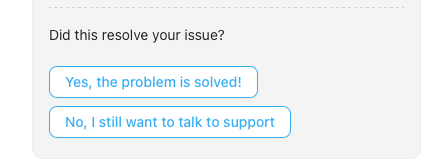
- PIA will first attempt to assist you and suggest a solution.
- If the issue is not resolved, you will be directed to the human support team for further assistance.
Resolution Paths
The support flow can end in one of two ways:
✅ Problem Resolved
If the issue is resolved during the process, the conversation will be marked as resolved and logged with support.
❗ Still Need Help
If the issue is not resolved, a support form popup will appear so you can provide additional details.
A ticket will then be created in the d2o Support system for follow-up by our support team that will respond as soon as possible.
What gets sent to Support
Both outcomes are tracked by support:
- Resolved issues
- Unresolved issues that generate support tickets
This helps us improve the system and respond faster to future problems.