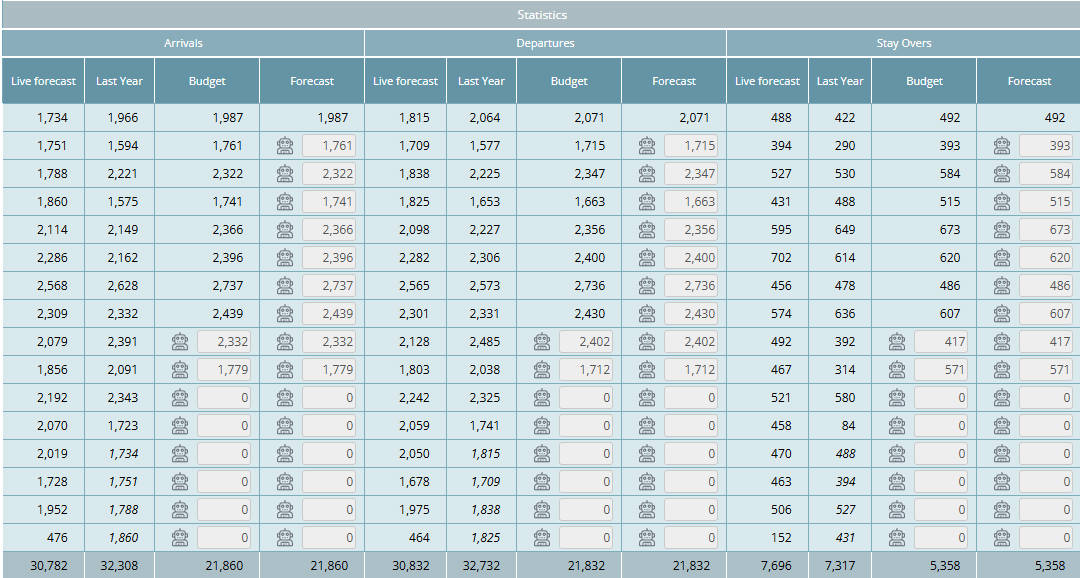

View and manage arrivals, departures, and stay-over statistics directly in Budget and forecast.
Arrivals, departures, and stay-over statistics are now available in the Budget and forecast module.
This allows you to review monthly totals and adjust them when needed, helping you better align operational statistics with your revenue and room forecasts.
Why is this useful?
- Get a quick overview of monthly arrivals, departures, and stay-overs
- Compare operational statistics alongside your room and revenue forecasts
- Adjust monthly arrivals, departures, and stay overs when needed
- Support more accurate planning across departments
What has changed?
- Added a statistics section in the Budget and forecast module with monthly totals for arrivals, departures, and stay overs.
- The tool setting “Enable live forecast arrivals, departures, stay-overs” has been removed. Forecasts are now generated automatically.
Where to find it
Go to: Budget and forecast → statistics section (right side)
Available for users with access to the Room Budget and forecast.
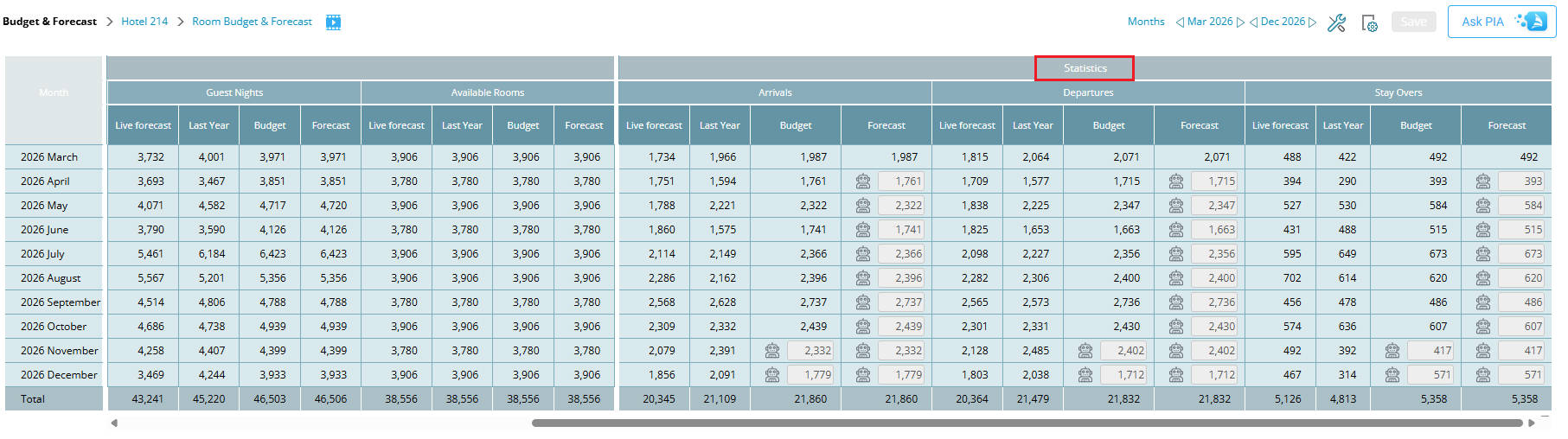
Image: Budget & forecast statistics information – arrivals, departures, stay overs
Learn more:
For more information, go to Arrivals, departures and stay over visibility