
A new feature has been added to the GoGreen Energy learning cockpit. It is now possible to activate the Weather normalization function.
Weather normalization in PMI GoGreen allows you to compare your current year against the base year that you have set, removing any discrepancies due to weather differences to see if you are reaching your targets.
Energy data from the current year is adjusted based on weather conditions in the base year as set in Goal distribution tool. Weather normalization can be activated by reaching out to your PMI contact or Support.
Key features:
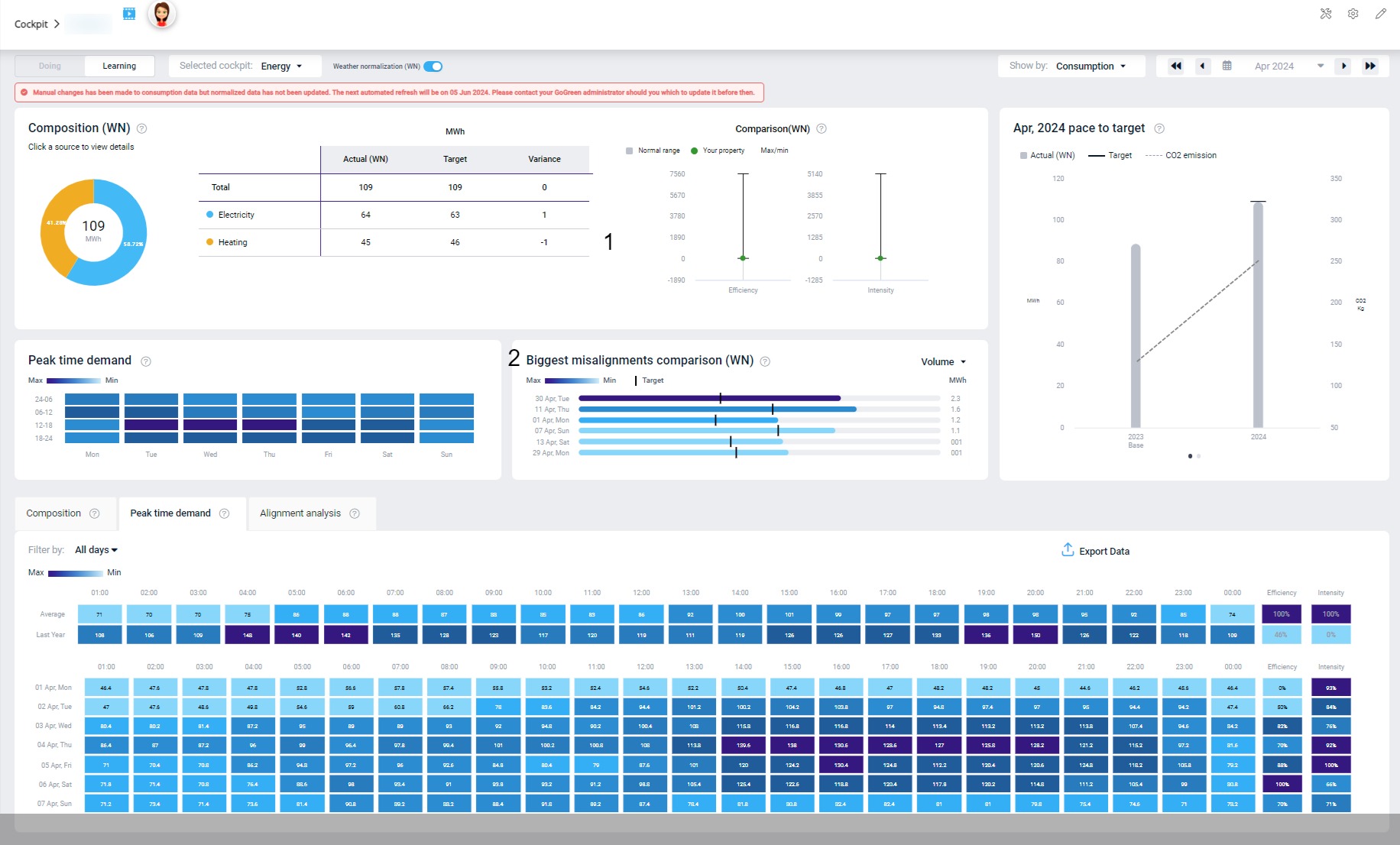
Image: The GoGreen Energy learning cockpit with Weather normalization enabled
When Weather normalization is activated, all data visible on the screen has been weather normalized, including hourly consumption.
1. In the Composition table, you can compare your energy actuals to the target set and see the Variance. By comparing your target to the base year, you can see how you are progressing regardless of if last month was extra cold, by simulating the same weather conditions in the base year.
2. The Biggest misalignments graph is populated with data when Weather normalization is activated.
For a more detailed explanation of weather normalization, see these articles: