
Background
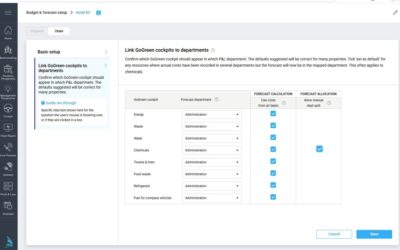
Changing the department mapping recalculates the unit price and cost for the GoGreen resource, based on the new settings. Making a change on the Chain page will affect all properties that use the chain settings. Users’ edits on the cost tab in GoGreen planning may not all be valid after the change, but losing them can also have a big impact. This release gives better visibility and choices for what to do with users’ edits when changing the department mapping.
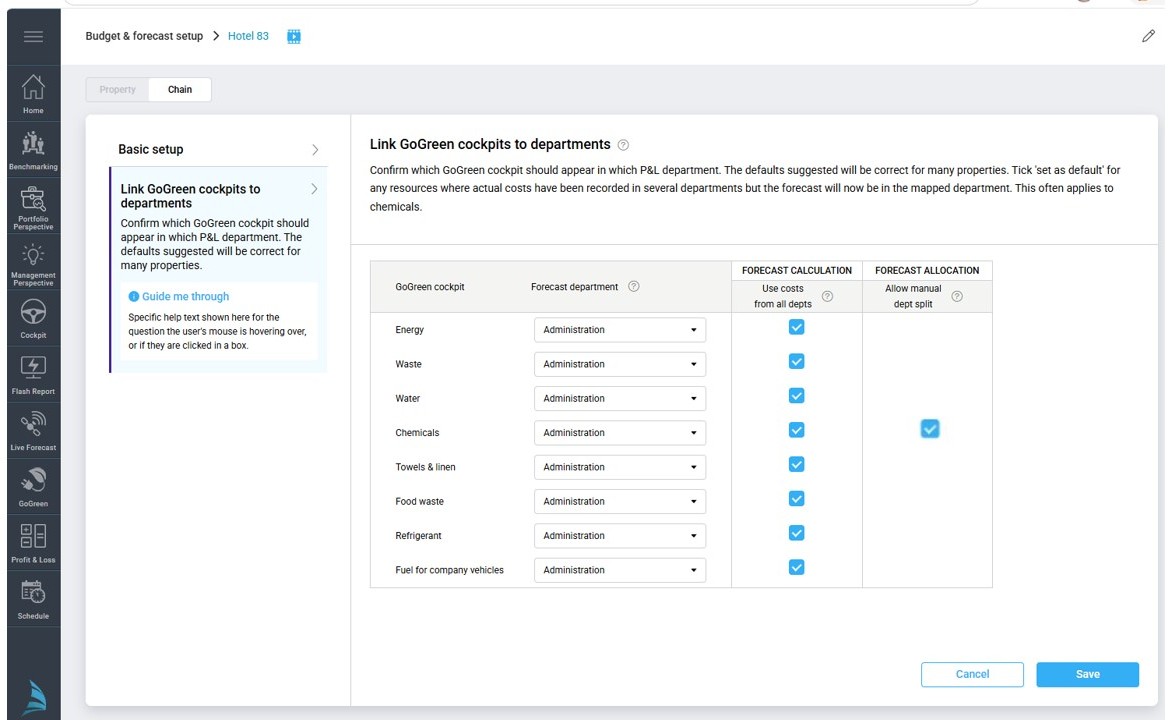
Image: Planning setup for GoGreen planning: Map department setting
What’s new
- PMI will check whether the resource being updated in the setting has any users’ edits; it will advise if there are edits that should be considered
- An export of all edits will be available to download
- The option to Keep or Remove users’ edits when saving the settings
- A double back-up with an extra Confirmation pop-up before removing users’ edits
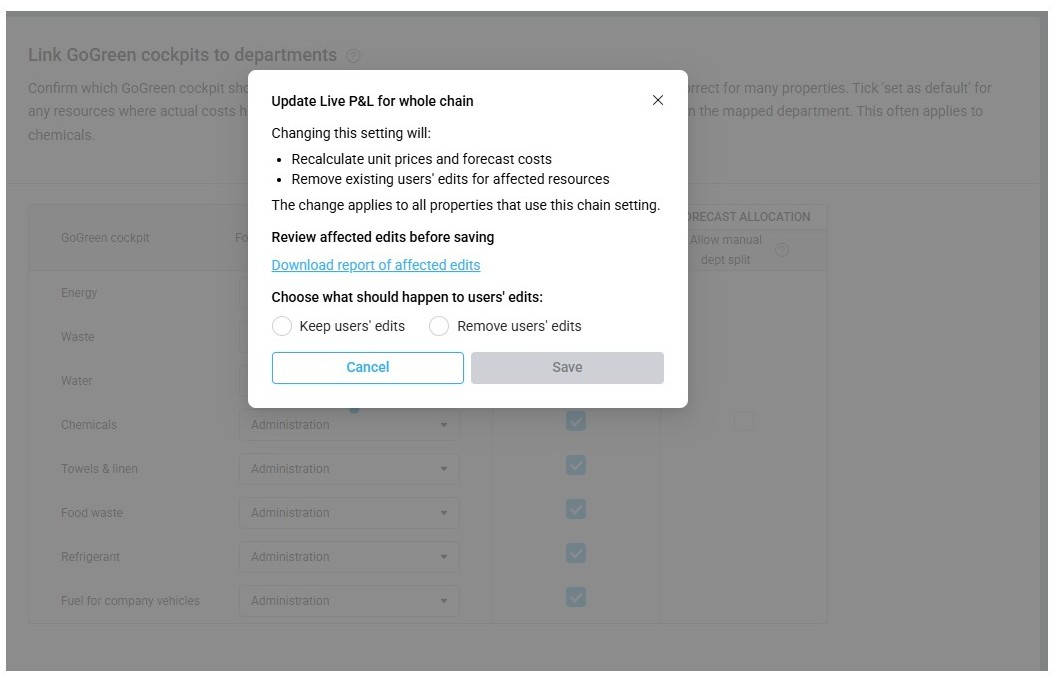
Image: Warning pop-up in Department mapping setting if users’ edits would be affected by the setting change
Learn more To understand how the whole GoGreen planning module works and how to use the settings, see the following articles: