
What’s new
The account dropdown in Data source mapping now displays all accounts available for the property, including accounts that have not yet been activated for the selected department.
Accounts that are not yet active are identified with a (*) suffix in the dropdown list.
Users can now select and save these accounts directly from the mapping page. The account is automatically activated for the department during save, removing the need to switch to the Profit and Loss accounts page before completing the mapping.
Benefits
- Reduces setup time when configuring mappings
- Removes unnecessary navigation between modules
- Simplifies onboarding and seasonal account setup
- Keeps mapping workflows faster and more efficient
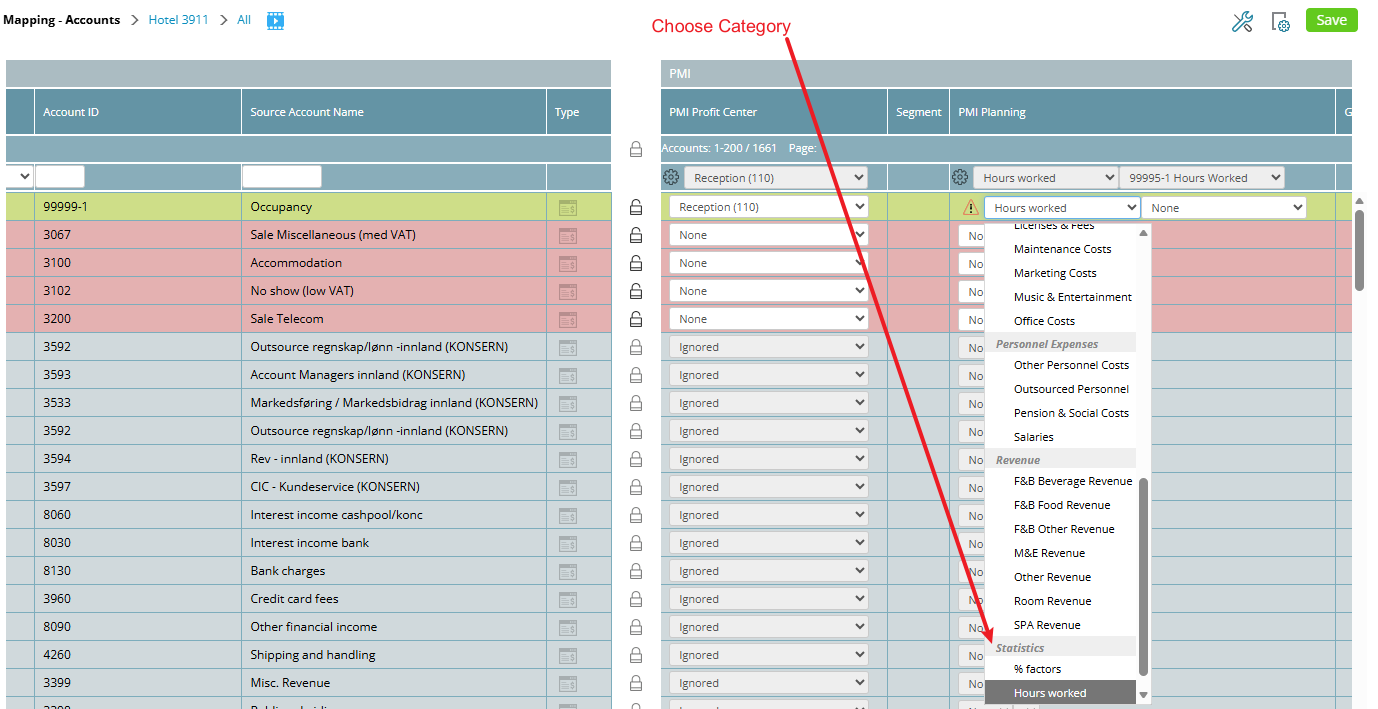
Image: Select the category when the mapped account is registered
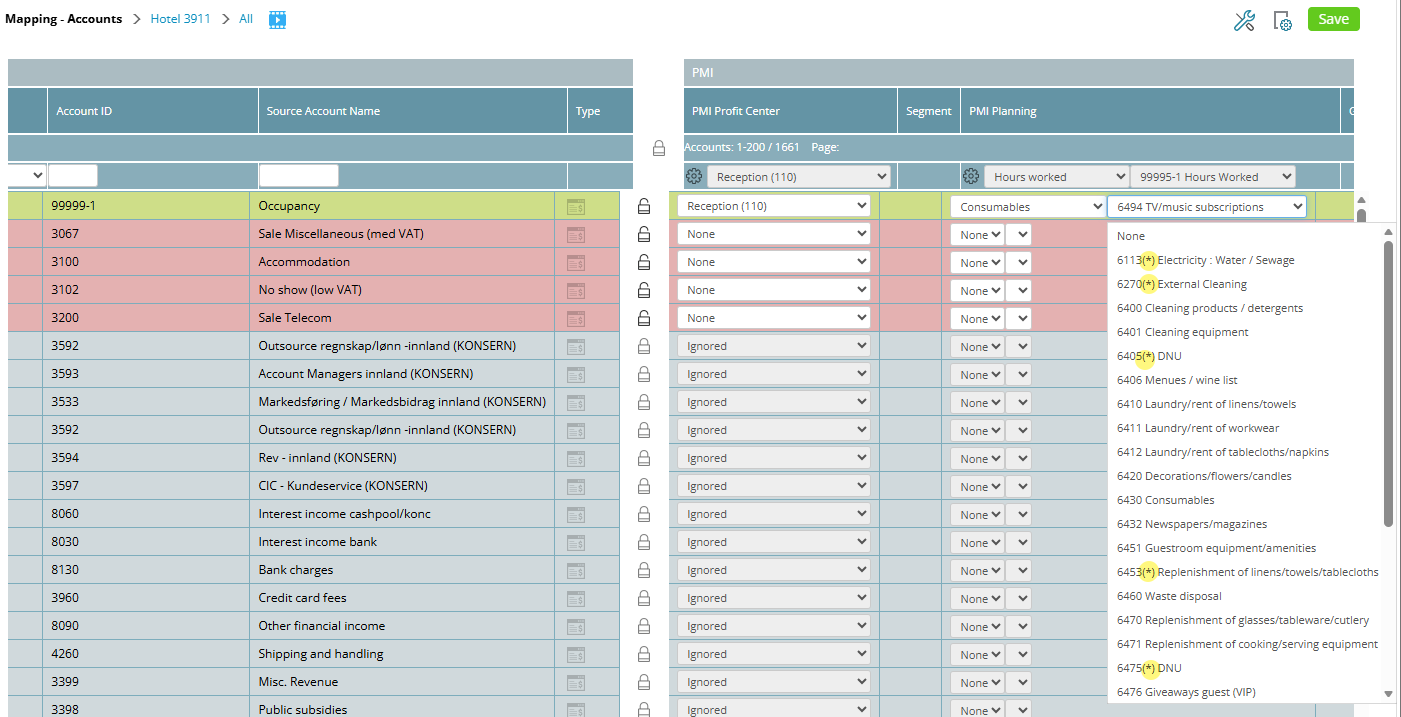
Image: Select account to be mapped. Accounts not mapped are marked with (*)