
We have added new tooltips showing the last updated timestamp in Portfolio Perspective, Benchmarking, and KPI Targets. This helps you understand when data was last updated, especially when comparing values across different modules.
Where you will see this
1. Portfolio Perspective
When hovering over any indicator or value in the columns, a tooltip will display the date and time when that specific data was last updated in the Portfolio Perspective.
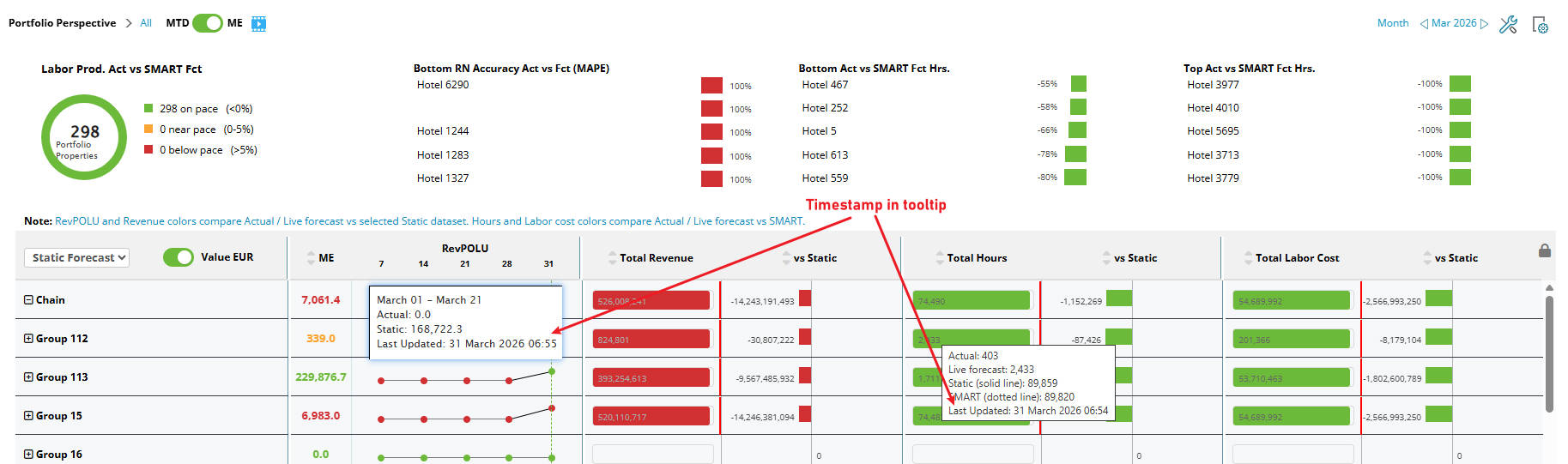
Image: Portfolio perspective tooltip with last updated information
2. Benchmarking
A new line has been added to the top left corner of the table showing the last updated timestamp for the data in the entire table.
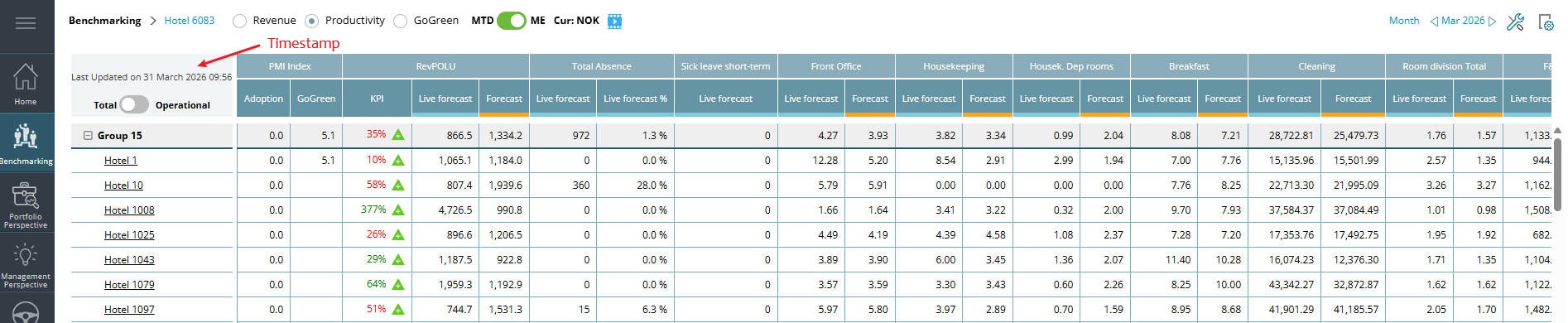
Image: Benchmarking with last updated information
3. KPI Targets
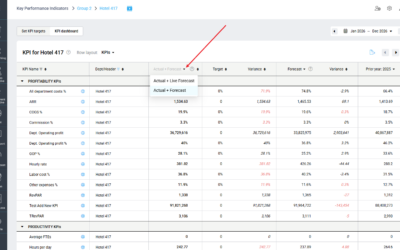
In KPI Targets,Last updated tooltips are now available for values in:
- Actuals column (period date)
- Forecast column
- Prior Year column
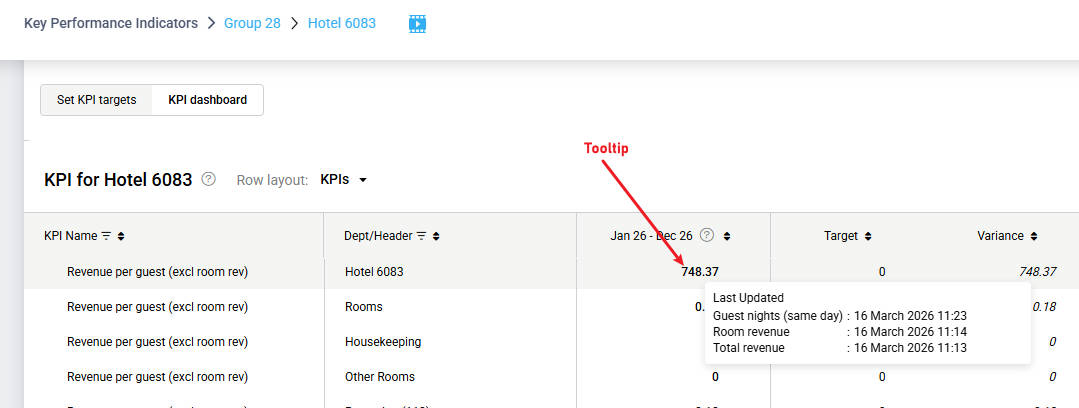
Image: KPI targets tooltip with last updated information per individual KPI
The tooltip shows the last updated timestamp for the KPIs used in the formula of the relevant KPI.
For example, for Revenue per Guest, the tooltip may show the last updated timestamp for Guest Nights, Same Day Room Revenue, and Total Revenue. These timestamps may differ depending on when the source data was last updated.
Benefit
Helps you understand when data was last updated and why numbers may differ between modules. Data in PMI may update at different times across modules. These tooltips help you see when data was last updated and understand why numbers may differ.