
Objective
Segment OTB gives a snapshot of booked business for a selected period. Use it to understand the mix of bookings by segment, group or market code and compare the position with last year.
The report is read-only. It helps you investigate and interpret bookings; changes to source bookings and forecast assumptions take place in their respective systems or views.
Intended users
- General Managers
- Hotel Managers
- Revenue Managers
- Booking Managers
- Front Office Managers
- Department Heads
- Regional and Head Office users
Requirements
PMI must be connected to a Property Management System (PMS) to retrieve the hotel’s booking information.
What information does Segment OTB provide?
The Segment OTB page provides four summary tiles:
- Room nights: The total number of room nights for the selected period, including actual and on-the-books figures.
- Room revenue: The total room revenue for the selected period.
- ARR: The Average Room Rate, calculated as total room revenue divided by total room nights. It is displayed as a weighted average.
- Segments / Market codes / Segment groups: The number of items included in the selected grouping.
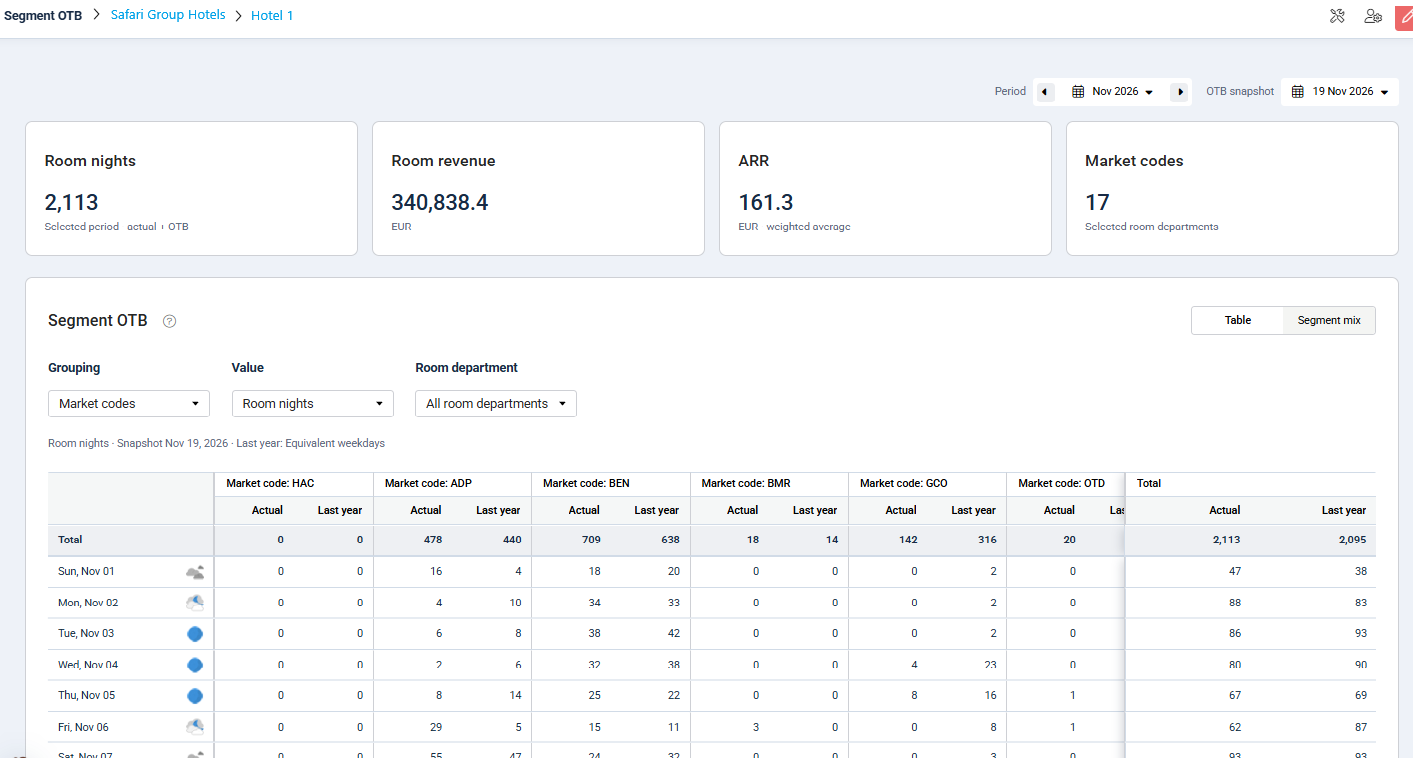
Segment OTB overview
You can review the booking information in two different views:
Table
Displays the daily or monthly booking figures for each segment, segment group or market code. You can also compare actual figures with last year’s figures.
Segment mix
Provides a visual overview of how the selected period is distributed across the different segments, segment groups or market codes.
Understanding the two important dates
Segment OTB uses two dates that determine what information is displayed:
- Period: The stay or reporting period you want to analyze.
- OTB snapshot: The date on which the on-the-books booking position was captured.
Both dates are important when comparing Segment OTB with other PMI reports.
For example, two reports covering November can show different booking figures if they use different OTB snapshot dates. Always align the snapshot date and reporting scope before investigating differences.
Related article
For instructions on selecting report settings, interpreting the figures, comparing with last year and exporting the report, see: