
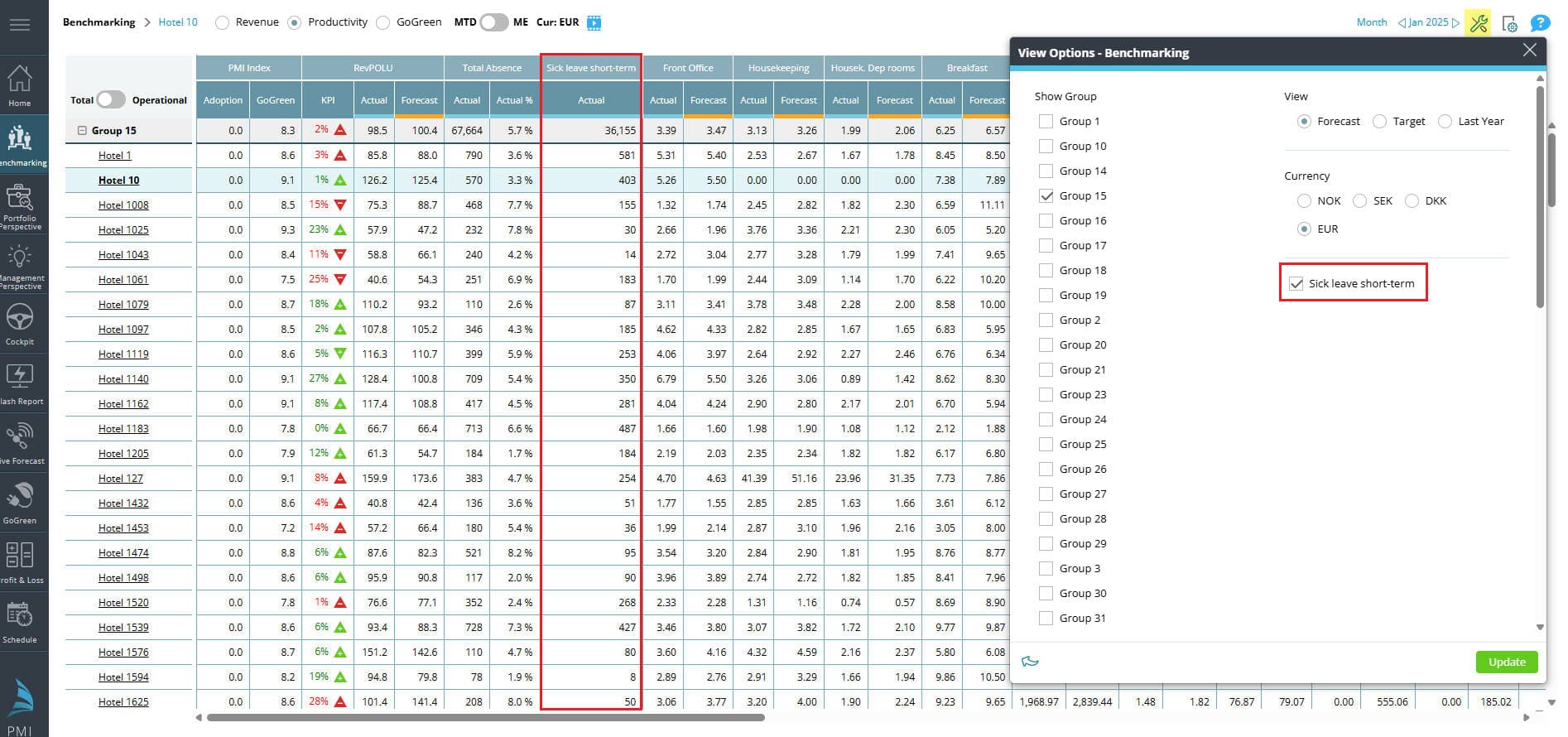
You can now choose to view ‘Sick leave short-term’ hours as a separate column in Benchmarking.
What’s new:
The ‘Total absence’ column (showing hours and a percentage of total hours) has been part of the Benchmarking Productivity view.
A new option in your view settings allow you to display ‘Sick leave short-term’ hours alongside the ‘Total absence’ column.
Benefits:
Provides a clearer overview of sick leave as part of non-productive hours.
Availability:
This option is available only if the ‘Sick leave short-term’ has been mapped to a category in the TKS mapping.
For more information contact support@d2o.com.
Image description: Benchmarking with new view activated: Sick leave short-term